MCP in Copilot Studio: Connect Agents Without the Risk
· AI Agents · 11 min read
By Juan Pedro Márquez
A Copilot Studio agent that can only read its own knowledge base is a chatbot with good manners. The moment a business wants it to check live inventory, open a ticket, or pull a customer's order status, someone has to connect it to a real system. For most of 2025 that meant hand-building a custom connector per system. Model Context Protocol changes the shape of that work — and, quietly, the shape of the risk.
Key point: I like MCP. I also think most teams are about to connect agents to production systems faster than they connect them to their governance, and that gap is where the incidents will come from.
Here is what MCP actually is inside Copilot Studio, how to wire it up, and — the part the tutorials skip — how to do it without opening a hole in your tenant.
What is Model Context Protocol in Copilot Studio?
Model Context Protocol (MCP) is an open standard that lets a Copilot Studio agent connect to an external server and use whatever tools and resources that server publishes, without building a bespoke integration for each one. The MCP server describes each tool's name, inputs, and outputs; the agent's orchestrator decides when to call it at runtime.
Per Microsoft's MCP overview for Copilot Studio, a connected server can expose three things: resources (file-like data the agent can read for context), tools (functions the model can call to take an action), and prompts (templates). Copilot Studio currently supports tools and resources. The elegant part is that the connection is live — when the server owner adds, changes, or removes a tool, the agent reflects that automatically. You are not maintaining a frozen copy of someone else's API surface.
Compare that to the older path. Building a custom connector meant importing an OpenAPI spec, mapping every operation, and re-doing it when the upstream API moved. MCP collapses that into "point at a server, authenticate, done." If you have worked through the Copilot extensibility decision tree, think of MCP as a new, thinner branch on the "connect to an external system" side — one that is winning fast because it is so much less work.
What do I need before MCP will work?
You need generative orchestration turned on. MCP does not function under classic, topic-triggered orchestration — the agent has to be able to reason about which tool to call, so the generative orchestrator is a hard prerequisite, not a preference.
This trips people up because it is easy to miss. You add an MCP tool, test the agent, and nothing happens — the model never invokes the server. The fix is almost always the generative orchestration setting, which lets the agent select tools dynamically based on their descriptions. That has a design consequence worth stating plainly: your tool descriptions are now part of your security surface. The orchestrator reads them to decide what to call. A vague or misleading description is not just bad UX — it is a way for the wrong tool to fire on the wrong turn.
One transport note that will bite anyone reading older blog posts: Copilot Studio supports the Streamable HTTP transport. Server-Sent Events (SSE) was deprecated in the MCP spec and Copilot Studio dropped SSE support after August 2025. If a server you are integrating still only speaks SSE, it will not connect, and the error will not always say why.
How do I connect an agent to an MCP server?
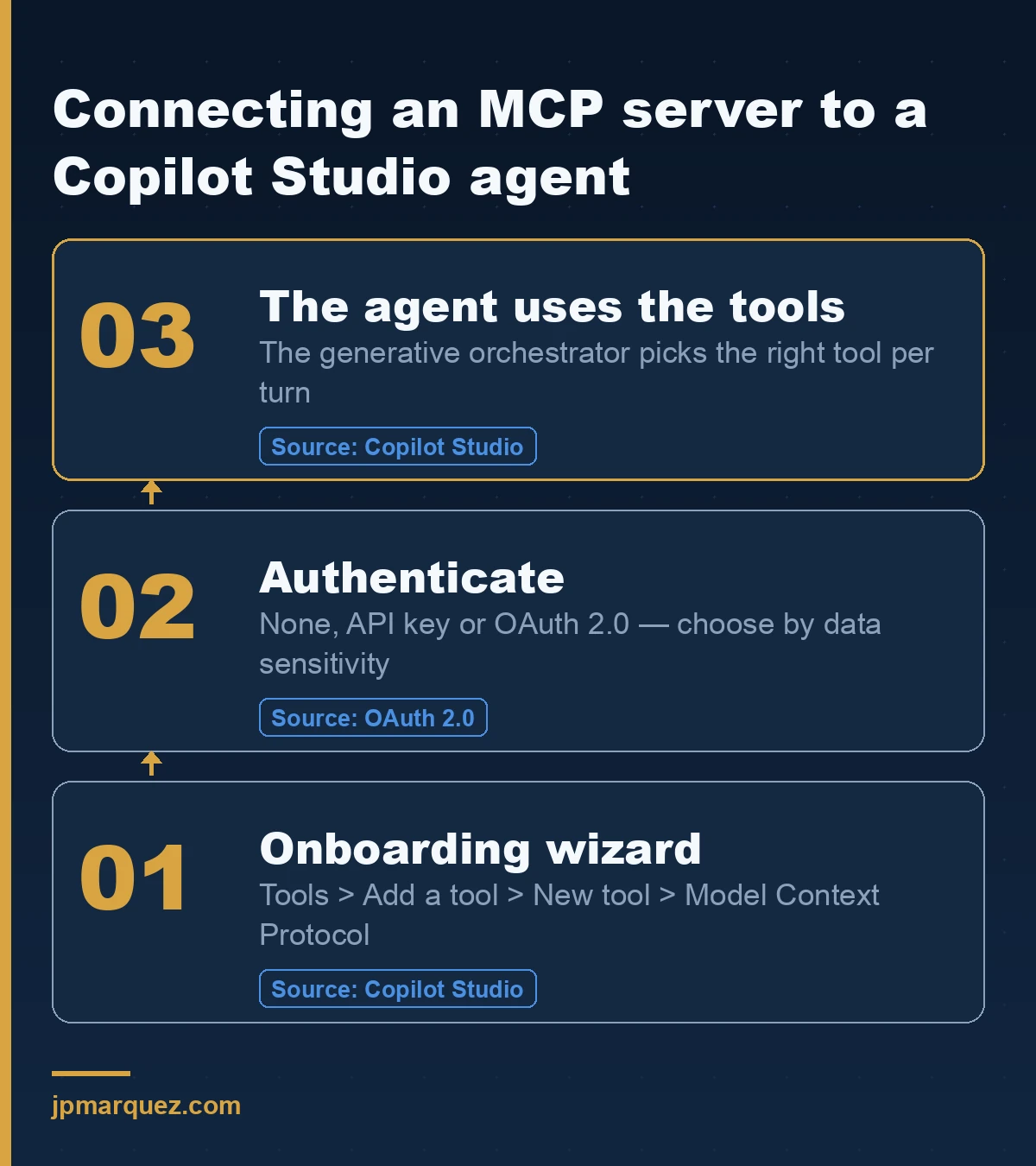
The recommended path is the MCP onboarding wizard inside Copilot Studio: on your agent's Tools tab, choose Add a tool > New tool > Model Context Protocol, fill in the server name, description, and URL, pick an authentication type, and create the connection.
The step-by-step wizard supports three auth models, and the choice matters more than the clicking:
- None — no authentication. Fine for a read-only public data source, dangerous for anything else. If a server needs no auth and touches business data, that is a finding, not a convenience.
- API key — the agent sends a shared key in a header or query parameter. Simple, but it means every user of the agent acts as the same identity to the server. You lose per-user attribution.
- OAuth 2.0 — individual users authenticate and consent, and the agent acts on their behalf. This is the one I push clients toward for anything that reads or writes real data, because it preserves identity end to end. Copilot Studio supports manual OAuth config, dynamic client registration, and full dynamic discovery.
Once the connection exists, you add the server's tools and resources to the agent from the same Tools page. If you do not have a server yet, Microsoft documents creating a new MCP server; if you want first-party Microsoft Graph access, there is a worked example for the Microsoft MCP Server for Enterprise that wires Copilot Studio to Graph with federated credentials rather than a stored secret — which is the pattern to copy.
Where is the governance boundary for MCP?
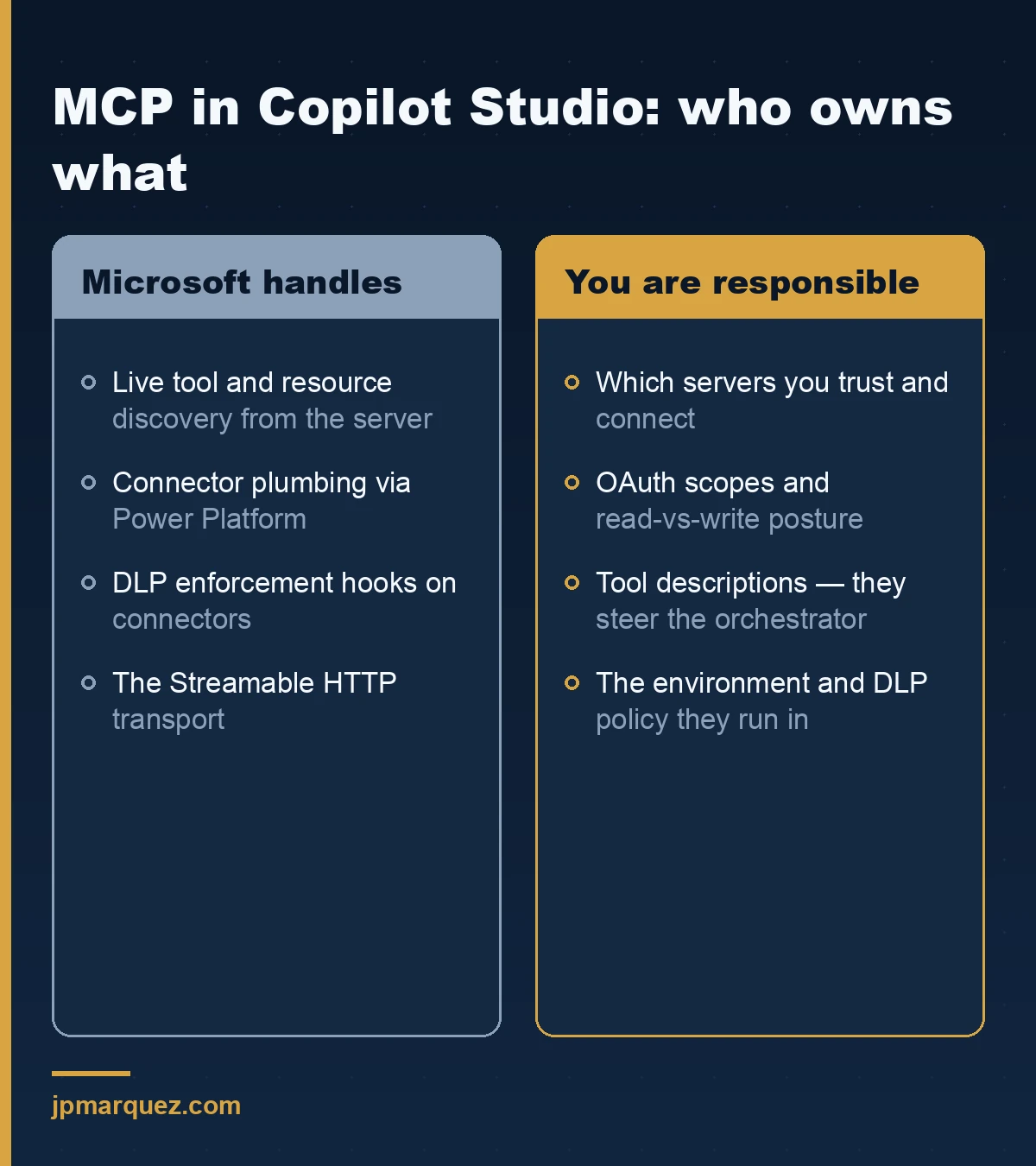
This is the sentence to underline: MCP access in Copilot Studio runs through Power Platform connectors, so any Data Loss Prevention policy that governs connectors also governs your MCP servers. If a DLP policy regulates Power Platform connectors, it regulates the MCP server and every tool it exposes.
That single fact, documented in the connect-to-a-server guidance, is the best news in the whole feature. You do not need a separate governance regime for MCP. The DLP policies you configure in the Power Platform admin center are the control plane. So before a single MCP server goes near a production environment, decide which environment MCP-connected agents live in, and put a DLP policy on that environment that reflects what those connectors are allowed to touch.
For agents built outside Copilot Studio, Microsoft is standardizing registration through Agents 365 — you can bring your own MCP server and have it approved centrally before it is usable. That approval gate is the enterprise pattern: servers are reviewed, then made available, not discovered and connected ad hoc.
What is the real risk, and how do I contain it?
The real risk is not the protocol — it is what a tool call does. An MCP tool is a function the model can invoke with arguments it chose. Connect a server whose tools can write to a system of record, and you have given a language model the ability to take irreversible actions based on a conversation. The failure mode is a confused or manipulated agent calling the wrong tool with the wrong inputs.
Microsoft says it directly in the docs: when you connect to a non-Microsoft MCP server, you are responsible for the tools and resources you access through it. That responsibility does not transfer to the server owner. So the containment plan writes itself:
- Prefer read tools over write tools until you trust the orchestration. A retrieval mistake is embarrassing; a write mistake is an incident.
- Scope OAuth to the minimum. The scopes you request define the blast radius. "Read the order" is a different risk than "modify the order," and the consent screen should say so.
- Treat tool descriptions as attack surface. Because the generative orchestrator selects tools from their descriptions, the same prompt-injection thinking applies here. If you have hardened agents against prompt injection defense patterns, extend that mindset to which tools an untrusted input could trigger.
- Isolate MCP-connected agents in their own environment with a DLP policy tuned to those connectors, so an over-eager agent cannot reach beyond what that environment allows.
There is a lesson here from a recent agent-architecture engagement that applies cleanly. The team's instinct was to treat "which system do we connect to?" as the hard problem. It was not. The hard problem was governance and identity as overlays across every tool the agent could reach — decided once, up front, rather than bolted on after the demo worked. Draw that boundary before the first MCP server connects, and MCP is a gift. Draw it after, and you are auditing production.
What can I connect an agent to today?
Two kinds of MCP server: first-party Microsoft servers you can trust with less scrutiny, and third-party or your-own servers you own the risk for. Start with the first-party ones to learn the pattern before you point an agent at something you built last week.
On the Microsoft side, the Microsoft MCP Server for Enterprise exposes Microsoft Graph — identity and access operations — to a Copilot Studio agent, and the worked example uses federated credentials instead of a stored client secret, which is the pattern to copy for any OAuth server. Microsoft also ships line-of-business servers, such as one for Dynamics 365 finance and operations, that you add to an agent the same way — pick it from the Model Context Protocol list, create a connection, done. One caveat worth knowing: these servers evolve fast, and Microsoft has already retired and replaced early static versions of some of them, so pin your integration to the current server and check the docs before you assume a tool still exists.
For your own systems, you build or host an MCP server and register it. If those systems are orchestrated by more than one agent, the same discipline that governs multi-agent orchestration on Azure applies here: decide which agent owns which write, before two agents can both act on the same record. The failure mode of "several agents, one system of record, no clear owner" is not hypothetical — it is the second incident every team has after the first one taught them to log everything.
Should you use MCP at all?
Yes — with a boundary drawn first. MCP is the cleanest way Microsoft has shipped to connect Copilot Studio agents to live enterprise systems, and it is only going to spread as more vendors publish servers. The teams that win with it are not the ones who connect fastest. They are the ones who decide the environment, the DLP policy, the auth model, and the read-versus-write posture before the agent can call anything real. If troubleshooting is where you end up, Microsoft keeps a dedicated MCP troubleshooting guide — start there, and start with whether generative orchestration is on.
Frequently asked questions
Does MCP work with classic (topic-based) Copilot Studio agents?
No. MCP requires generative orchestration, because the agent's orchestrator has to reason about which tool to call at runtime. If your agent uses classic topic-triggered orchestration, MCP tools will not fire until you switch orchestration modes.
How is MCP governed — do I need a new set of policies?
No new regime. MCP connectivity runs through Power Platform connectors, so your existing Data Loss Prevention policies in the Power Platform admin center already govern MCP servers and their tools. Put those agents in a controlled environment and tune the DLP policy there.
What authentication should I use for a production MCP server?
OAuth 2.0 for anything that reads or writes real data, because it preserves per-user identity and consent. API keys make every user act as one shared identity, which breaks attribution. Reserve "None" for genuinely public, read-only sources.
Who is responsible when a non-Microsoft MCP server misbehaves?
You are. Microsoft's documentation is explicit that when you connect to an external MCP server, you own the tools and resources you access through it. Review third-party servers before connecting, and scope their access tightly.
Why won't my MCP server connect at all?
The two most common causes are generative orchestration being switched off, and the server using the deprecated SSE transport. Copilot Studio supports the Streamable HTTP transport and dropped SSE support after August 2025.