Copilot Studio + SharePoint: Build Knowledge Agents (2026)
· AI Agents · 14 min read
By Juan Pedro Márquez
The Difference Between a Chatbot and a Knowledge Agent
A few months ago I was working with a manufacturing customer near Barcelona — about 800 employees, two business units, and an IT helpdesk that was drowning. They had already tried a generic chatbot built on FAQ documents. Users asked one question, got a technically correct but contextually useless answer, and went back to calling the helpdesk. The chatbot deflected almost nothing.
We rebuilt the whole thing as a Copilot Studio agent grounded in their actual SharePoint IT Knowledge Base — real policies, real procedures, real troubleshooting guides written by their own engineers. Within six weeks the helpdesk was handling 52% fewer tickets on the categories the agent covered. The content had always existed. What changed was connecting it to an agent that could reason over it.
That is the value of knowledge-grounded agents. Not generic internet intelligence — your organisation's specific content, surfaced at the moment someone needs it, with proper citations so users can verify what they are reading.
This guide walks you through building a production-ready SharePoint-grounded agent, with specific attention to the content preparation and configuration decisions that separate agents that work from agents that get abandoned.
For an introduction to Copilot Studio, see Microsoft Copilot Studio overview.
Before you start
- Audit your target SharePoint knowledge base site: confirm all documents are current, factually accurate, and free of contradictions — stale or conflicting content directly produces wrong agent answers
- Confirm your Microsoft 365 licensing includes Copilot Studio: standalone Copilot Studio requires its own licence separate from Microsoft 365 Copilot
- Identify the 3-5 most common questions your target users ask (helpdesk, HR, legal — whatever the use case) — these become your test cases before and after deployment
- Verify that Microsoft Entra ID authentication is configured in your Copilot Studio environment — without it, the agent cannot respect SharePoint permissions and you create a security risk
- Check that the SharePoint site(s) you plan to use as knowledge sources have clean, consistent permission structures — the agent inherits whatever access model the site has
- Assign a named content owner for the knowledge base site who will commit to a quarterly review cadence — without this, content drifts and agent quality degrades
- Define your deployment channel first (SharePoint page, Teams app, or both) — channel choice affects authentication configuration and testing requirements
How Copilot Studio Connects to SharePoint
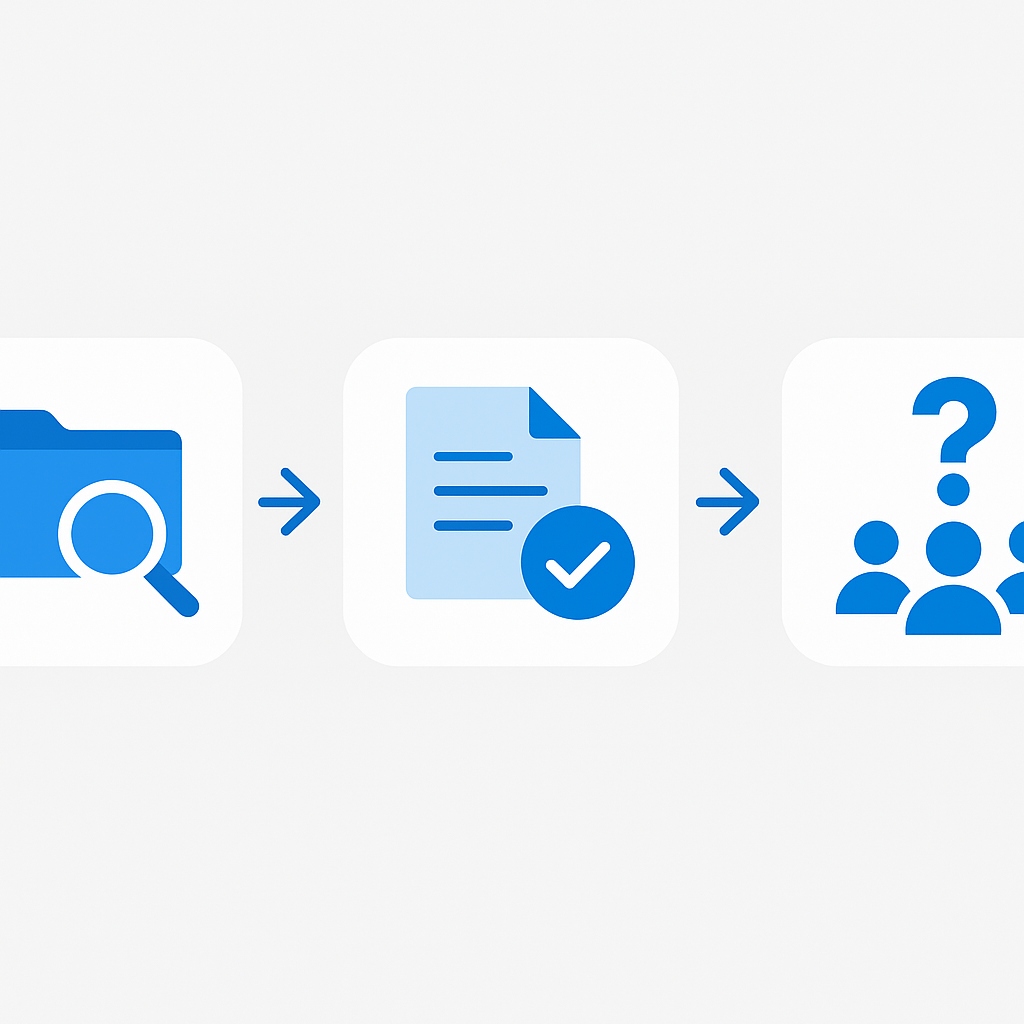
Copilot Studio integrates with SharePoint through the generative answers knowledge source capability. When you add a SharePoint site as a knowledge source, the following happens:
- Content indexing: Copilot Studio crawls the specified SharePoint sites and indexes document content
- Chunking: Documents are broken into semantically meaningful chunks for efficient retrieval
- Embedding generation: Each chunk is converted into a vector embedding for semantic search
- Permission mapping: The system maps SharePoint permissions to verify users only get answers from content they can access
- Query processing: When a user asks a question, it is converted to an embedding and matched against the indexed content
- Response generation: The most relevant chunks are sent to the LLM as context, which generates a grounded response with citations
Supported Content Types
Copilot Studio can index content from:
- Document libraries: Word, PDF, PowerPoint, Excel, text files
- SharePoint pages: Site pages and news posts
- Lists: Structured data in SharePoint lists
- Wiki pages: Legacy wiki content (if still in use)
Not currently indexed: Images within documents, embedded videos, Visio diagrams, OneNote notebooks stored in SharePoint.
Questions to ask your team
1. Which questions do users ask most often that currently require them to contact a person — and does content answering those questions already exist in SharePoint?
This scopes the agent's initial knowledge domain and identifies content gaps that need to be filled before deployment, not after.
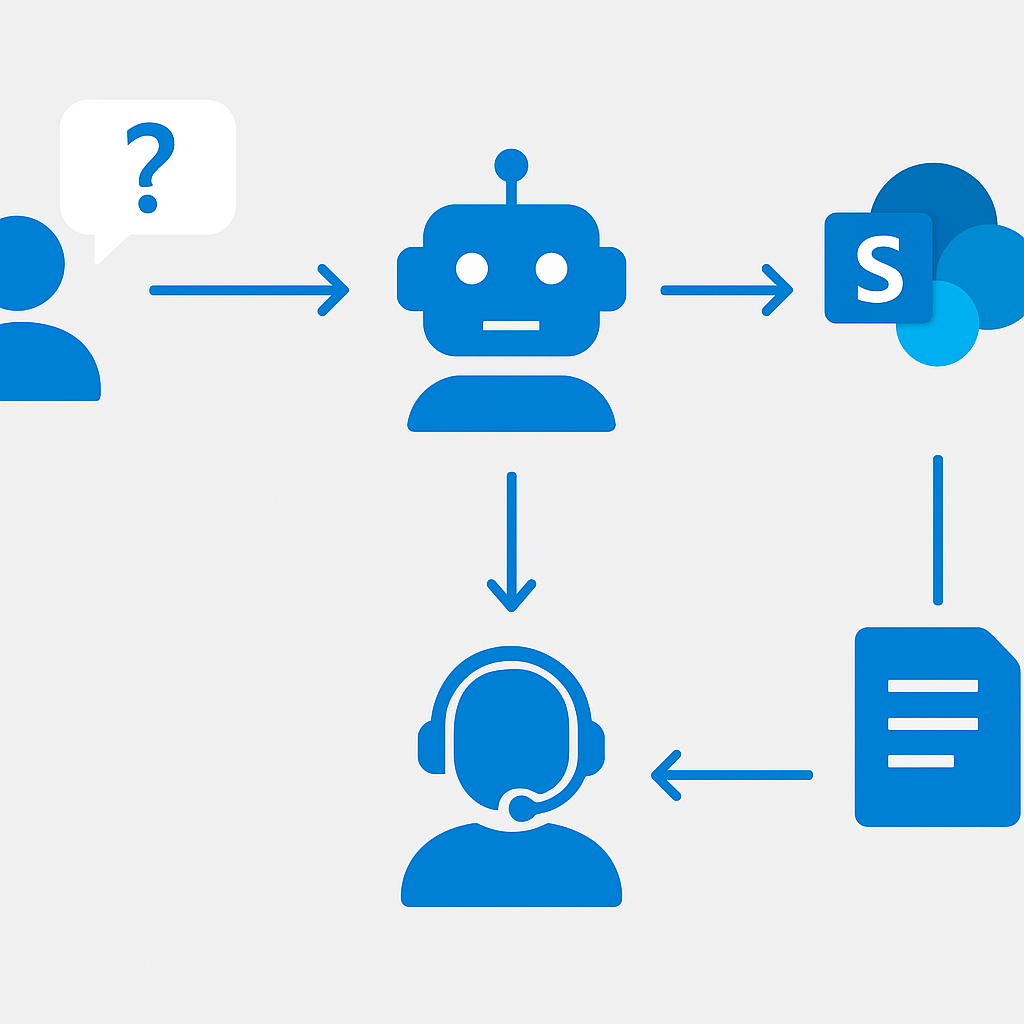
2. What happens when the agent gives a wrong answer — who is responsible, and how does the user get corrected?
Defining the human fallback and the correction path before go-live is not pessimism; it is the governance control that makes deployment safe.
3. Should the agent answer with the same content regardless of who is asking, or does the answer depend on the user's role or department?
If the answer is "it depends," you need Entra ID authentication and potentially separate knowledge sources per audience segment — not a single global agent.
4. Who owns the content in the knowledge base SharePoint site, and how long does it take today for outdated documents to get updated?
If the answer is "nobody" or "months," you have a content governance problem that will become an agent accuracy problem — fix this before you build.
5. Are any of the documents in the planned knowledge sources labelled Confidential or Highly Confidential in Microsoft Purview?
Encrypted sensitivity labels can block the agent from indexing content even if the user technically has SharePoint access — you need to know this before the agent goes live.
6. What does success look like at 90 days — what metric will tell you the agent is working?
Define resolution rate, deflection rate, or CSAT target before deployment. Without a baseline and a target, you cannot tell if the agent is performing.
Preparing Your SharePoint Content for AI
The quality of your agent's responses is directly proportional to the quality of your source content. Invest time here before you build anything in Copilot Studio.
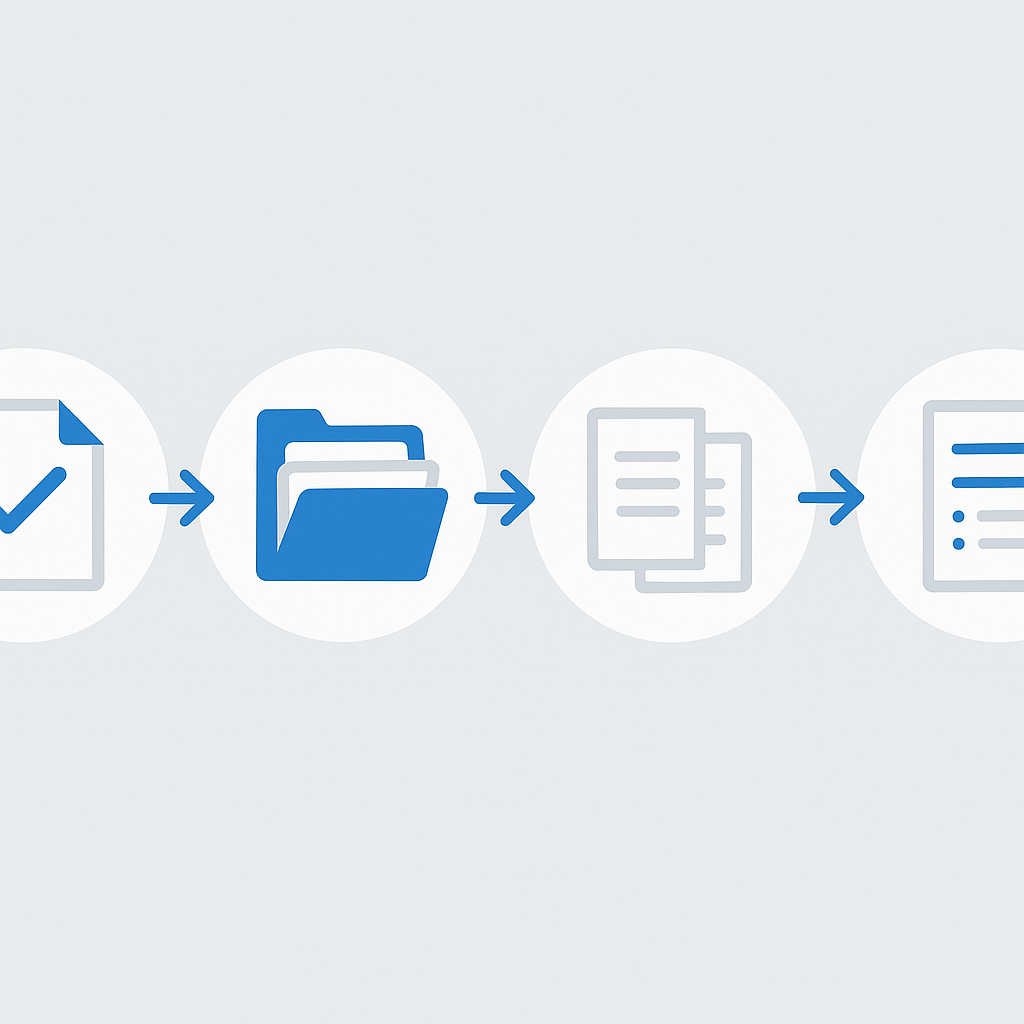
Content Quality Checklist
- Accuracy: Verify all documents are current and factually correct
- Completeness: Fill gaps in coverage — if users will ask about topic X, content about topic X must exist
- Consistency: Remove contradictory information across documents
- Structure: Use clear headings, bullet points, and concise paragraphs
- Metadata: Apply proper titles, descriptions, and content types
- Deduplication: Remove duplicate documents that could confuse the AI
Optimal Content Formats
The AI performs best with these content patterns:
FAQ format (highest quality answers):
## How do I reset my VPN password?

To reset your VPN password:
1. Go to vpn.contoso.com/reset
2. Enter your employee ID
3. Complete the MFA verification
4. Set your new password (minimum 12 characters)

Note: Password changes take up to 15 minutes to propagate.
Contact IT Support at x5555 if you need assistance.
Procedure format (good for step-by-step queries):
## Software Installation Request Process

### Prerequisites
- Manager approval required for licences over $500
- IT Security review required for new vendor software

### Steps
1. Submit request via ServiceNow portal
2. IT reviews compatibility and security
3. Manager approves (if required)
4. IT provisions software (SLA: 3 business days)
Content Architecture Recommendations
Organise your knowledge base SharePoint site with clear information architecture:
IT Knowledge Base (SharePoint Site)
├── Getting Started
│   ├── New Employee Setup Guide
│   ├── Required Software List
│   └── Network Access Guide
├── Common Issues
│   ├── Password Resets
│   ├── VPN Troubleshooting
│   ├── Printer Setup
│   └── Email Configuration
├── Policies
│   ├── Acceptable Use Policy
│   ├── BYOD Policy
│   └── Data Classification Policy
└── How-To Guides
    ├── Microsoft Teams
    ├── SharePoint
    └── Power Platform
For SharePoint content organisation, see Plan your SharePoint site.
Step-by-Step: Creating a SharePoint-Grounded Agent
Step 1: Create the Agent
- Go to copilotstudio.microsoft.com
- Click Create → New agent
- Describe your agent: "An IT helpdesk assistant that answers employee questions about IT policies, troubleshooting, and software using our IT Knowledge Base on SharePoint."
- Name: "IT Knowledge Assistant"
Step 2: Add SharePoint Knowledge Source
- In the agent editor, go to Knowledge section
- Click Add knowledge → SharePoint
- Enter your SharePoint site URL:
https://contoso.sharepoint.com/sites/ITKnowledgeBase - You can add multiple sites or specific document libraries
- Click Add and wait for initial indexing (may take 30-60 minutes for large libraries)
Step 3: Configure Agent Instructions
Write clear instructions that define the agent's scope and behaviour:
Key point: ```
You are an IT Knowledge Assistant for Contoso. Your role is to help employees with IT-related questions using the IT Knowledge Base.
Guidelines:
- Only answer questions related to IT support, policies, and procedures
- Always cite the source document when providing answers
- If you cannot find a relevant answer in the knowledge base, suggest the user contact IT Support at [email protected] or call x5555
- Do not make up information or guess — only use information from the provided knowledge sources
- Be professional, concise, and helpful
- For urgent issues (system outages, security incidents), immediately direct users to the IT emergency line
### Step 4: Test and Refine

Use the built-in test panel to verify:
- Common questions get accurate answers with proper citations
- Out-of-scope questions are handled gracefully
- The agent's tone matches your organisation's communication style

For creating agents, see [Create and configure agents](https://learn.microsoft.com/en-us/microsoft-copilot-studio/authoring-first-bot).

## Configuring Generative Answers

### Content Moderation Settings

Configure the content moderation level based on your use case:

- **High**: Most conservative, may block some legitimate responses
- **Medium** (recommended for enterprise): Good balance of safety and usefulness
- **Low**: Minimal filtering, only for controlled environments

### Boosting Answer Quality

Several techniques improve generative answer quality:

1. **Content freshness**: Update knowledge sources regularly to avoid stale answers
2. **Source quality**: Remove low-quality or outdated documents from indexed libraries
3. **Instruction refinement**: Iterate on agent instructions based on testing results
4. **Custom topics**: Create explicit topic handlers for high-frequency questions where you need guaranteed specific answers
5. **Feedback integration**: Monitor user feedback and adjust content accordingly

### Fallback Behaviour

Configure what happens when the agent cannot find a relevant answer:

- **Generative fallback**: The AI attempts to answer from general knowledge (disable for sensitive environments)
- **Escalation**: Redirect to a human agent or support channel
- **Custom message**: Display a specific message directing users to alternative resources

## Multi-Source Knowledge Configuration

For comprehensive coverage, combine multiple knowledge sources:

### SharePoint + Dataverse
Knowledge Sources:
├── SharePoint: IT Knowledge Base (policies, guides, FAQs)
├── SharePoint: HR Portal (benefits, leave policies, onboarding)
├── Dataverse: Product Catalog (specifications, pricing, availability)
└── Dataverse: Known Issues (active bugs, workarounds, status)
### Knowledge Source Priority

When multiple sources contain relevant information, Copilot Studio uses relevance scoring to select the best content. You can influence this by:

- **Quality over quantity**: Fewer, higher-quality sources outperform many low-quality ones
- **Specificity**: More specific, focused sites produce better results than broad corporate portals
- **Content format**: Structured Q&A content is weighted higher than unstructured documents

### Websites as Knowledge Sources

Supplement SharePoint with public website content:

- **Product documentation sites**: Link to official Microsoft Learn or vendor documentation
- **FAQ pages**: Company website FAQ sections
- **Knowledge bases**: External knowledge base platforms

For knowledge source configuration, see [Knowledge sources in Copilot Studio](https://learn.microsoft.com/en-us/microsoft-copilot-studio/knowledge-copilot-studio).

## Authentication and Permission Considerations

### User Authentication

For internal agents accessing SharePoint content, configure **Microsoft Entra ID** authentication:

1. Go to **Settings** → **Security** → **Authentication**
2. Select **Authenticate with Microsoft**
3. This verifies the agent respects SharePoint permissions — users only see answers from content they can access

### Permission Implications

The agent accesses SharePoint content through the authenticated user's permissions. This means:

- A user without access to the HR site will not get answers from HR documents
- Site-level permissions, library-level permissions, and item-level permissions are all respected
- Sensitivity labels with encryption prevent the AI from accessing protected content
- External guests can only access content shared with them

### Service Account Considerations

For scenarios where the agent should have broader access than individual users (e.g., a general knowledge agent):

- **Do not use service accounts** to bypass permissions — this creates security risks
- Instead, verify that relevant knowledge base content has appropriate read access for target user groups
- Use Microsoft 365 Groups to manage access to knowledge base sites consistently

## Embedding the Agent in SharePoint and Teams

### SharePoint Page Integration

Embed your agent directly in SharePoint pages using the web part:

1. Edit a SharePoint page
2. Add the **Copilot Studio** web part (or use the embed web part with the bot's iframe URL)
3. Configure the web part size and appearance
4. Publish the page

This creates a seamless experience where users can ask questions right from the intranet without switching applications.

### Mobile Deployment

For organisations with mobile-first workforces:
- Deploy through the Teams mobile app (the agent is accessible via Teams on iOS/Android)
- Verify responsive design for the custom website channel (smaller screens)
- Test voice input scenarios for hands-free environments
- Consider push notifications for proactive agent alerts

### Teams Deployment

1. In Copilot Studio, go to **Publish** → **Microsoft Teams**
2. Configure the Teams app manifest (name, description, icon, accent colour)
3. Submit for Teams admin approval
4. Once approved, users can find the agent in the Teams app catalogue

### Multi-Channel Consistency

Verify the agent provides consistent responses across all channels:
- Test the same questions in Teams, SharePoint, and any web deployments
- Confirm that authentication works correctly in each channel
- Check that formatting (markdown, links, images) renders appropriately in each channel

For publishing to channels, see [Publish agents to Microsoft Teams](https://learn.microsoft.com/en-us/microsoft-copilot-studio/publication-add-bot-to-microsoft-teams).

## Measuring Agent Effectiveness

### Key Performance Indicators

| Metric | Target | Measurement |
|--------|--------|-------------|
| Resolution rate | >70% | % of conversations resolved without escalation |
| Answer accuracy | >90% | Sample review of agent answers vs. correct answers |
| User satisfaction | >4.0/5.0 | Post-conversation CSAT surveys |
| First response time | <3 seconds | Average time to initial response |
| Deflection rate | >40% | % of queries handled by AI vs. human agents |
| Knowledge coverage | >85% | % of user queries matched to knowledge source content |

### Analytics Dashboard

Copilot Studio provides built-in analytics covering:
- Session volume and trends
- Topic performance and engagement
- Escalation reasons and frequency
- User satisfaction scores
- Abandoned session analysis

### Continuous Improvement Process

1. **Weekly review**: Analyse top unanswered questions and create/update knowledge content
2. **Monthly assessment**: Review accuracy metrics, update agent instructions
3. **Quarterly overhaul**: Major content refresh, add new knowledge sources, refine topics

## Governance Considerations

### Content Governance for AI

- **Ownership**: Assign clear content owners for each knowledge source site
- **Review cadence**: Quarterly content accuracy reviews
- **Update triggers**: Process for updating content when policies or procedures change
- **Archival**: Remove outdated content that could generate incorrect answers

### Agent Governance

- **Change management**: Document all changes to agent configuration
- **Testing requirements**: Regression test after any knowledge source update
- **Access control**: Limit who can modify the agent configuration
- **Audit trail**: Log agent configuration changes and deployments
- **Compliance**: Verify the agent complies with industry regulations and internal policies

### Data Governance

- **Sensitivity labels**: Verify that labelled content is appropriately handled by the agent
- **DLP compliance**: Verify the agent does not expose sensitive information through its responses
- **Data residency**: Understand where agent data is processed and stored
- **Retention**: Set retention policies for conversation logs

## Your implementation checklist

**Plan**
- [ ] Audit target SharePoint knowledge base: remove outdated documents, resolve contradictions, verify all content is current
- [ ] Map the 10 most common user questions to existing content — identify gaps that need new documents before agent launch
- [ ] Define success metrics (resolution rate, deflection rate, CSAT) and establish a baseline from current helpdesk data
- [ ] Confirm Copilot Studio licensing and Entra ID authentication configuration with your identity team

**Build**
- [ ] Create the agent in Copilot Studio and connect the SharePoint knowledge source(s)
- [ ] Write agent instructions that explicitly define scope, citation behaviour, and escalation paths
- [ ] Configure content moderation at Medium level and set fallback behaviour to escalate (not generative fallback)
- [ ] Add custom topics for your top 3-5 highest-volume questions where guaranteed-specific answers matter

**Test**
- [ ] Run all 10 mapped test questions through the agent and verify accuracy and citation quality
- [ ] Test with a user account that has restricted SharePoint permissions — confirm the agent does not surface content the user cannot access
- [ ] Verify Teams and SharePoint channel authentication works independently
- [ ] Document all failed or inaccurate responses and address them in content or agent instructions before go-live

**Deploy**
- [ ] Publish to Teams first (easier to control audience) and run a 2-week pilot with a named group
- [ ] Review analytics weekly: look for unanswered questions and update knowledge content accordingly
- [ ] Expand to SharePoint page embed after pilot metrics confirm >70% resolution rate
- [ ] Schedule first quarterly content review in the team calendar before you close the project

## Frequently asked questions

### Does a Copilot Studio agent respect SharePoint permissions?

With user authentication enabled, yes: the agent only returns content the signed-in user could already open. That is the reassuring half. The other half is that everything overshared is now findable in one sentence instead of three clicks, which is why the [term store, metadata and permission work](/blog/sharepoint-online-ai-ready-term-store-copilot-agents/) belongs before the agent, not after it.

### How many SharePoint sites should I connect as knowledge sources?

Fewer than you want to. Start with the two or three libraries whose content is actually maintained, measure resolution rate, then widen. Every extra site adds competing versions of the same policy, and the agent has no way to know which one your compliance team blessed last quarter.

### Why does the agent say it cannot find something that is clearly in SharePoint?

Usually format, not indexing. Scanned PDFs, procedures buried in screenshots, and 60-page documents with no headings all retrieve badly. Rewrite the top failing answers as short, headed pages before you touch agent instructions — content shape moves accuracy more than prompt wording does.

### When do I need a Copilot Studio agent instead of Microsoft 365 Copilot?

When you need a scoped, named assistant with its own instructions, escalation path and analytics — a helpdesk agent that deflects tickets, not a general assistant. If the requirement is broader productivity across the tenant, work through the [extensibility decision tree](/blog/microsoft-365-copilot-extensibility-decision-tree/) before building anything.

---

*For comprehensive Copilot Studio documentation, visit the [Copilot Studio documentation hub](https://learn.microsoft.com/en-us/microsoft-copilot-studio/) and the [SharePoint documentation](https://learn.microsoft.com/en-us/sharepoint/).*

<h2>Related reading</h2>
<ul>
<li><a href="/blog/m365-governance-framework-ai-ready-organizations/">Microsoft 365 Governance Framework: A Practical Guide for AI-Ready Organizations</a></li>
<li><a href="/blog/copilot-studio-agents-hidden-cost/">The Hidden Cost of Copilot Studio Agents (And How to Govern It Before the Bill Arrives)</a></li>
<li><a href="/blog/copilot-studio-first-agent/">Build Your First Copilot Studio Agent in One Day: A Step-by-Step Guide</a></li>
</ul>