
Microsoft Agent Framework: When to Use It vs Copilot Studio
· 11 min read
By Juan Pedro Márquez
📋 Quick reference
Audience: Enterprise architects, engineering leads, and Microsoft partners deciding how to build production AI agents
Read time: ~11 minutes
What you'll get: What Microsoft Agent Framework is, why it replaces Semantic Kernel and AutoGen, when to choose it over Copilot Studio or Foundry Agent Service, and the risks to weigh before you standardize on it
For two years, teams building agents on Microsoft's stack faced a small, annoying fork in the road. Semantic Kernel or AutoGen? One was the enterprise-grade SDK with state, type safety, and telemetry. The other had the cleaner abstractions for multi-agent patterns. Pick wrong and you rewrote later. Microsoft Agent Framework is Microsoft ending that fork — folding both into one successor, built by the same teams.
That framing matters more than any feature list. If you are starting a new pro-code agent project this quarter and reaching for Semantic Kernel or AutoGen out of habit, you are building on a runway that is being decommissioned. Not deleted tomorrow, but the direction is set. Let me walk through what the Agent Framework actually is, and — more usefully for an architect — when it is the right layer to build on and when it is not.
What is Microsoft Agent Framework?
Microsoft Agent Framework is an open-source SDK for building AI agents and multi-agent workflows in .NET, Python, and Go. It gives you individual agents that call tools and MCP servers, an opinionated "harness" for long multi-step tasks, and graph-based workflows that coordinate multiple agents with type-safe routing and human-in-the-loop support. It is the code-first layer, not a low-code studio.
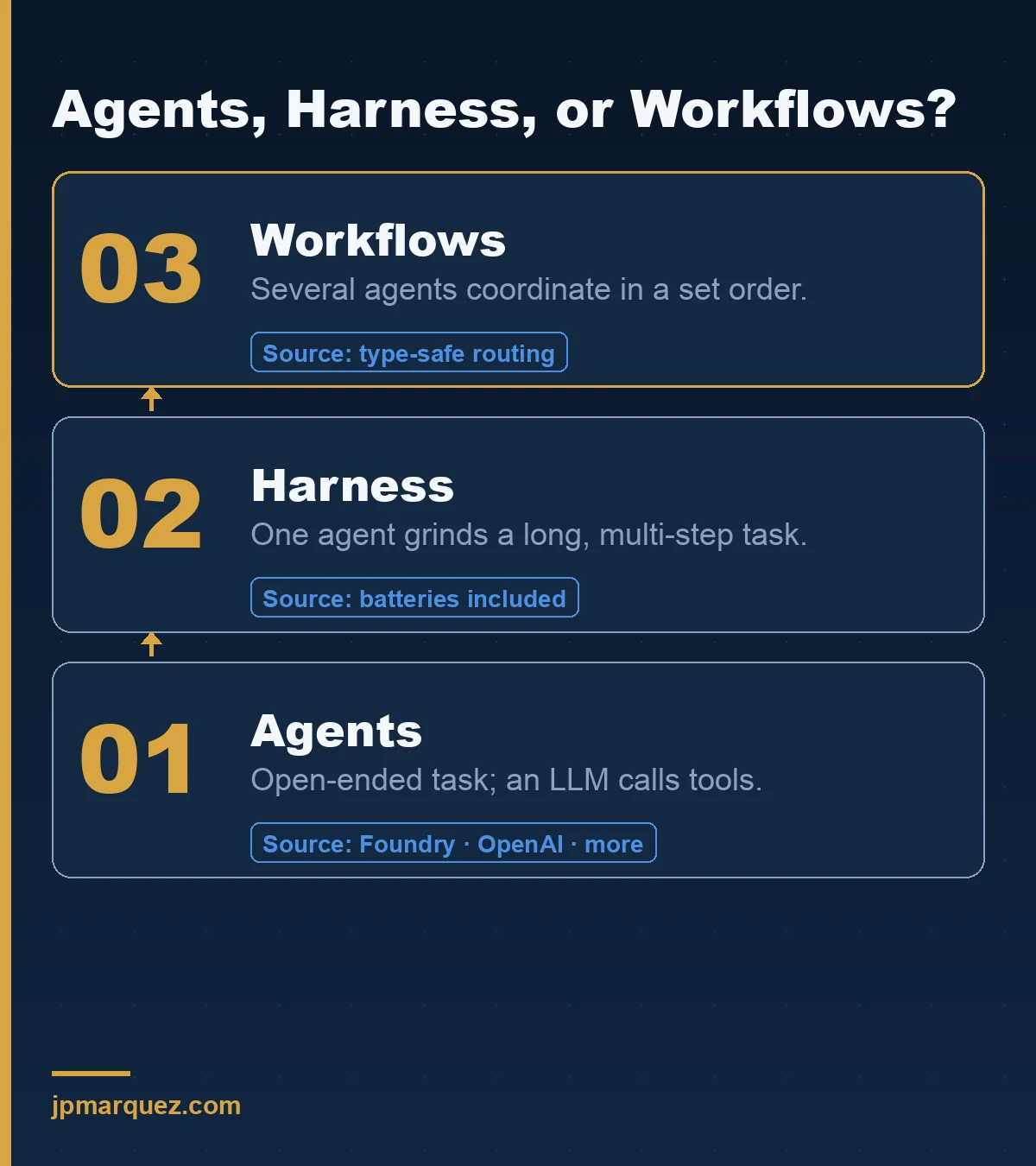
The framework organizes into three primary capabilities. Agents are the familiar unit: an LLM that processes input, calls tools, and responds, with providers spanning Microsoft Foundry, Azure OpenAI, OpenAI, Anthropic, Ollama, and more. Harness is an opinionated agent with batteries included — planning, todo tracking, context compaction, memory, tool-approval flows, and observability — for tasks that run long. Workflows are graph-based orchestration for when several agents or functions must coordinate in a defined order.
Underneath sit the plumbing pieces you actually need in production: model clients, session-based state management, context providers for memory, middleware to intercept agent actions, and MCP clients for tool integration. It is genuinely open source — the teams that built Semantic Kernel and AutoGen ship it in the open and take contributions.
How does it relate to Semantic Kernel and AutoGen — do you have to migrate?
Agent Framework is the direct successor to both. It combines AutoGen's simple agent abstractions with Semantic Kernel's enterprise features — session state, type safety, middleware, telemetry — and adds graph-based workflows neither had. You do not have to migrate overnight; existing SK and AutoGen apps keep running. But new work belongs on Agent Framework, and Microsoft ships migration guides precisely because that is the expected path.
Here is the honest read. Semantic Kernel and AutoGen "pioneered the concepts," in Microsoft's own words, and Agent Framework is "the next generation of both." When a vendor consolidates two products into one and writes you a migration guide, the roadmap is telling you where investment goes next. It goes to the successor.
What I tell teams: do not rip out a working Semantic Kernel service on Friday because you read a blog post. Do budget for migration on anything you plan to still be running in a year, and do start every new agent project on Agent Framework. Microsoft provides both a migration guide from Semantic Kernel and a migration guide from AutoGen. Read whichever matches your existing codebase before you scope the effort — the abstractions map closely, which is the whole point of the merge.
Agents, Harness, or Workflows: which primitive do you actually need?
Use an agent when the task is open-ended and needs autonomous tool use. Use the harness when a single agent must grind through a long, multi-step job with planning and memory. Use a workflow when several agents or functions must coordinate in a controlled order with explicit routing. And — the line I keep coming back to — if you can just write a function, write the function.
Microsoft's own documentation states it plainly: "If you can write a function to handle the task, do that instead of using an AI agent." That is the most valuable sentence in the whole framework, and it is the one most enterprise pilots ignore. Half the "agents" I review in the wild are deterministic workflows wearing a costume — a fixed sequence of steps that someone wrapped in an LLM because agents were the exciting word that quarter. That costume costs you money, latency, and a non-deterministic failure mode you did not need.
The decision table Microsoft gives is worth internalizing: reach for an agent when the task is open-ended or conversational and a single LLM call with tools suffices; reach for a workflow when the process has well-defined steps, you need explicit control over execution order, and multiple components must coordinate. Workflows also give you checkpointing and human-in-the-loop, which is what production compliance reviews will ask for.
When should you choose Agent Framework over Copilot Studio or Foundry Agent Service?
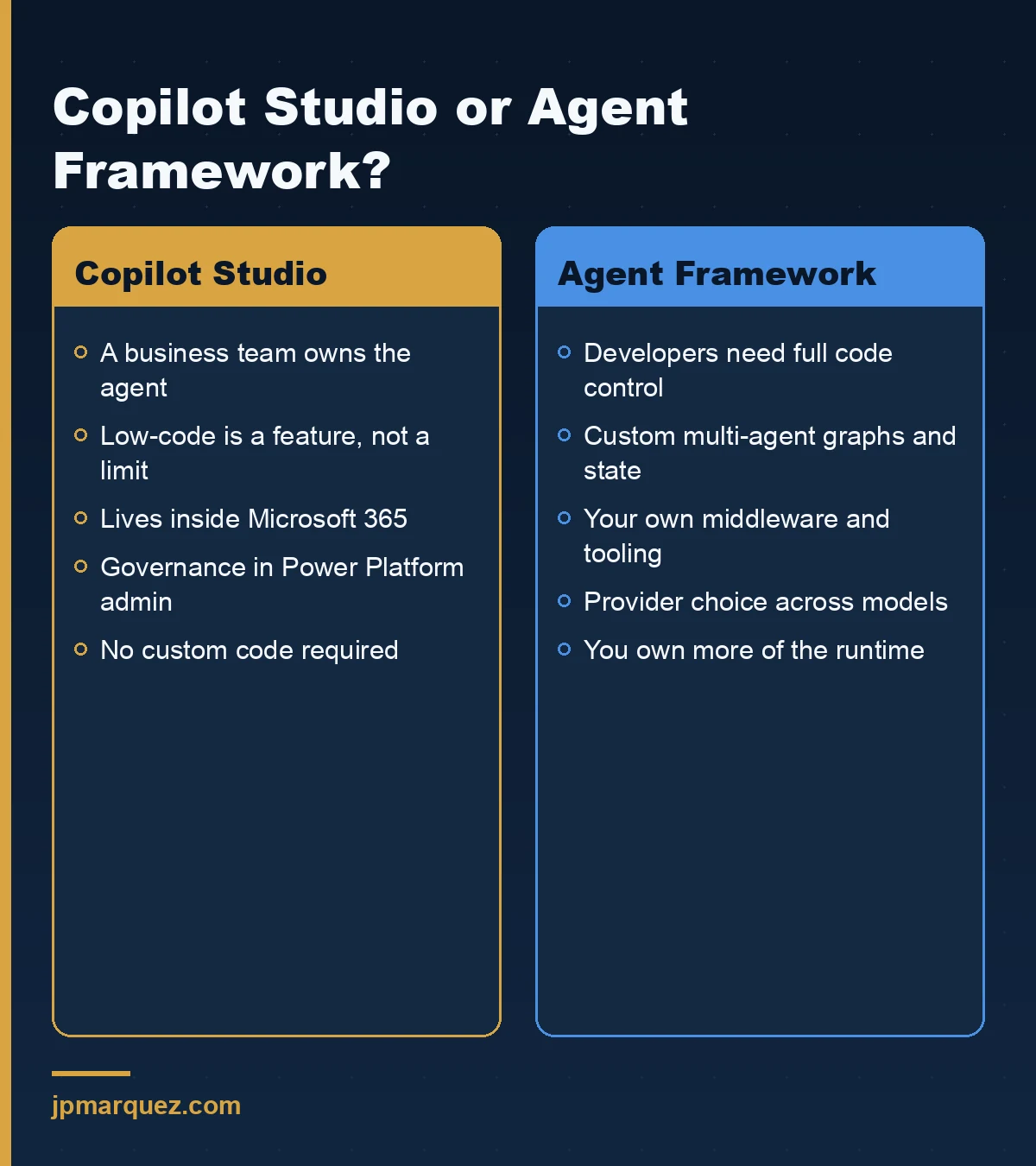
Choose Copilot Studio when a business team owns the agent and low-code is a feature, not a compromise. Choose Foundry Agent Service when you want a managed runtime for agents without owning the orchestration plumbing. Choose Agent Framework when developers need full, code-first control over multi-agent logic, state, and custom tooling — and are willing to own more of the stack to get it.
These are not competitors so much as three altitudes. Let me place them:
- Copilot Studio (low-code, business-owned). A subject-matter expert describes an agent, connects knowledge, and ships it inside Microsoft 365. Governance and cost live in the Power Platform admin surface. This is the right layer for the long tail of departmental agents. If your build does not need custom code, do not write custom code.
- Foundry Agent Service (managed, pro-code-adjacent). You get a managed agent runtime on Azure with the enterprise controls of Microsoft Foundry — RBAC, network isolation, safety tooling — without hand-building the orchestration host. Good when you want code-level agents but not the operational burden of running the framework yourself.
- Agent Framework (code-first, developer-owned). Maximum control: custom multi-agent graphs, your own middleware, precise state handling, provider choice. You own more of the runtime and the responsibility. This is where complex, differentiated agent products belong.
A useful test: who is accountable for the agent's behavior day to day? If it is a business owner, Copilot Studio. If it is a platform team that wants managed hosting, Foundry Agent Service. If it is an engineering team shipping a product-grade agent, Agent Framework. For the broader low-code-versus-pro-code call across Microsoft's stack, I go deeper in Copilot Studio vs Azure AI Foundry and in the Microsoft 365 Copilot extensibility decision tree.
What does "enterprise-grade" actually mean here?
It means the boring production concerns are first-class, not bolted on: session-based state so a long conversation survives, type safety so a refactor fails at compile time instead of at 2am, middleware to intercept and audit every agent action, telemetry through standard observability, and human-in-the-loop checkpoints in workflows. These are the features Semantic Kernel earned in enterprise deployments, carried forward.
The pieces that earn the label, in the order they tend to matter:
- State and sessions. Multi-turn and long-running tasks need durable state. Agent Framework's session model and context providers handle memory so you are not reinventing it per project.
- Middleware. Intercepting agent actions is how you enforce policy, redact, log, and add approval gates. This is your control plane inside the code.
- Telemetry and observability. You cannot govern what you cannot see. The harness and framework surface observability so production behavior is inspectable — which is exactly what an audit will ask you to produce.
- Type safety and workflow checkpointing. Type-safe routing and checkpoints turn "the agents did something weird" into a debuggable, resumable graph.
None of this removes the need for identity. An agent is a principal that acts, and it needs its own identity, permissions, and lifecycle — which is why I pair any Agent Framework build with the controls in Microsoft Entra Agent ID. The framework gives you the runtime; identity governance keeps it accountable.
What are the real risks and limits before you standardize on it?
Three, mainly: parts are early (the Go SDK is in public preview with features still missing), anything touching third-party systems is explicitly your risk to manage, and the framework hands you responsibility for your own responsible-AI mitigations. It is powerful precisely because it is unopinionated about safety — which means the safety is your job.
Be concrete about each:
- Maturity varies by language. .NET and Python are the leading edge; the Go SDK is in public preview and, per Microsoft, does not yet have declarative agents, RAG, CodeAct, or functional workflows. Choose your language with that in mind.
- Third-party systems are your risk. Microsoft is blunt: if you connect non-Azure models, third-party agents, or external servers, you own the data-flow, cost, and compliance implications. Know what leaves your Azure compliance boundary before it does.
- Responsible AI is not included. The framework expects you to implement your own metaprompts, content filters, and safety systems. Runtime guardrails like the gates I use to move agents from pilot to production are not optional add-ons here; they are the part you must build.
My verdict: Agent Framework is the right foundation for serious, code-first agent work on Microsoft's stack, and the SK/AutoGen consolidation removes a real source of rework. But it rewards teams that already have engineering discipline. If you do not have observability, identity, and safety practices in place, the framework will not supply them — it will faithfully run whatever you build, safe or not. For a fuller treatment of coordinating several agents in production, see multi-agent orchestration patterns on Azure AI Foundry.
Frequently asked questions
Is Microsoft Agent Framework free and open source?
Yes. Agent Framework is open source, developed in the open by the teams behind Semantic Kernel and AutoGen, and it accepts community contributions. You pay for the models and Azure services it calls, not for the framework itself. Costs come from your LLM usage, hosting, and any third-party systems you connect.
Which languages does Agent Framework support?
.NET, Python, and Go. .NET and Python are the most complete; the Go SDK is in public preview and currently lacks some capabilities such as declarative agents, RAG, CodeAct, and functional workflows. For enterprise production work today, .NET and Python are the safer choices unless you have a specific reason to use Go.
Should I migrate my existing Semantic Kernel or AutoGen app right now?
Not urgently, but plan for it. Existing apps keep working, and Microsoft provides migration guides from both. My rule: migrate anything you expect to still run in a year, and start all new agent projects on Agent Framework. The abstractions map closely by design, so the migration is usually less painful than a rewrite.
How is Agent Framework different from Copilot Studio?
Copilot Studio is a low-code environment for business-owned agents inside Microsoft 365; Agent Framework is a code-first SDK for developers who need full control over multi-agent logic, state, and tooling. If a business team owns the agent and does not need custom code, use Copilot Studio. If an engineering team is building a product-grade agent, use Agent Framework.
Does Agent Framework work with Azure AI Foundry?
Yes. Agent Framework connects to Microsoft Foundry as a model and agent provider, alongside Azure OpenAI, OpenAI, Anthropic, and Ollama. You can build code-first with the framework while running models and using enterprise controls from Foundry, or choose the managed Foundry Agent Service when you would rather not host the orchestration yourself.