Copilot Studio vs Microsoft Foundry: Expert Guide 2026
· AI & Copilot · 11 min read
By Juan Pedro Márquez
Update (August 2026): Microsoft renamed Microsoft Foundry to Microsoft Foundry in January 2026 (announced at Ignite, November 2025). This article uses the current name; you may still see the previous name in older screenshots or Microsoft documentation that hasn' t been updated yet.
One of the most common questions in a Microsoft AI scoping conversation, usually within the first 15 minutes, is "Should we use Copilot Studio or Microsoft Foundry?" The team has a budget approved, an IT director in the room, and a business sponsor who wants a working prototype by end of month. The question sounds simple. It is not.
The answer depends on who is building, what they are building, how much control they need, and what they already have in production. Copilot Studio vs Microsoft Foundry is one of the most common evaluation points I see in enterprise AI engagements right now. Most of the confusion comes from Microsoft's own marketing, which pitches both platforms as "AI for your organization" without drawing a sharp line between them.
This post is my attempt to draw that line. No buzzword soup. No feature lists copied from the docs. Just the practical framework I use when helping teams decide.
Quick Answer
Use Copilot Studio when you need a governed, low-code conversational AI agent that integrates with Microsoft 365, Power Platform, and your business data, fast and with minimal engineering overhead.
Use Microsoft Foundry when you need to build, fine-tune, evaluate, and deploy custom AI models and agents at production scale, with full control over the underlying infrastructure, model selection, and RAG pipelines.
Use both when your enterprise needs a governed citizen-developer surface (Copilot Studio) on top of a robust custom AI backend (Microsoft Foundry).
What Each Platform Is: A Practitioner's View
Copilot Studio
Microsoft Copilot Studio is a low-code platform for building conversational AI agents, what Microsoft calls "copilots." It sits inside the Power Platform ecosystem and is the evolution of Power Virtual Agents. Think of it as the front door to Microsoft AI for business users and citizen developers.
What makes it distinct in practice is the governance model. IT can set up connections, enable plugins, and define what data the agent can access. Business analysts build the topics, flows, and responses. The two layers rarely step on each other. That separation is the feature.
It handles authentication, Microsoft Graph integration, Teams deployment, SharePoint grounding, and Dataverse connectors out of the box. When a client says "I want an HR assistant in Teams in four weeks," Copilot Studio is almost always the right answer.
Microsoft Foundry
Microsoft Foundry (formerly Azure AI Studio) is Microsoft's unified platform for building production-grade AI solutions. It covers the full lifecycle: model selection from the model catalog, prompt engineering, RAG pipeline construction, fine-tuning, evaluation, and deployment via managed endpoints.
Where Copilot Studio abstracts the AI layer, Microsoft Foundry exposes it. You choose the model. You define the retrieval strategy. You write the system prompt. You run evals. You own the deployment. That control comes with responsibility. You need engineers who know what they are doing.
The Comparison Table
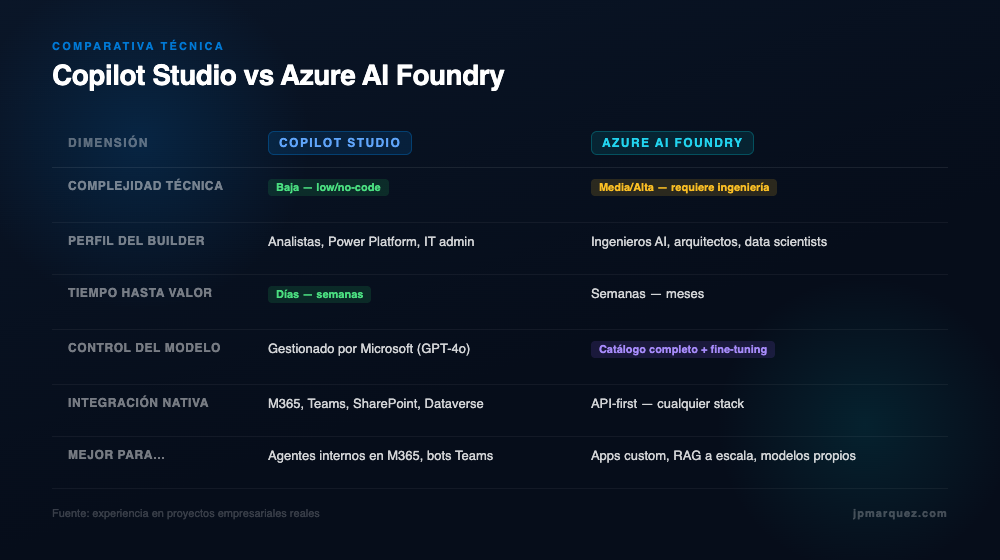
| Dimension | Copilot Studio | Microsoft Foundry |
|---|---|---|
| Primary use case | Conversational agents, copilots, Teams bots | Custom AI apps, RAG pipelines, model fine-tuning, AI agents |
| Technical complexity | Low: no-code / low-code | Medium to High: requires AI/ML engineering skills |
| Target persona | Business analysts, citizen developers, IT admins | AI engineers, data scientists, enterprise architects |
| Model control | Microsoft-managed (GPT-4o) | Full model catalog: OpenAI, Meta, Mistral, Phi, and more |
| Native integration | Deep M365 + Power Platform; 1000+ connectors | API-first; integrates with any stack |
| Time to value | Days to weeks for a working agent | Weeks to months for a production-grade custom solution |
| Multi-agent support | Multi-agent orchestration native | Azure AI Agent Service for code-first multi-agent systems |
When to Choose Copilot Studio
1. You Need an Internal Agent in Microsoft 365, Yesterday
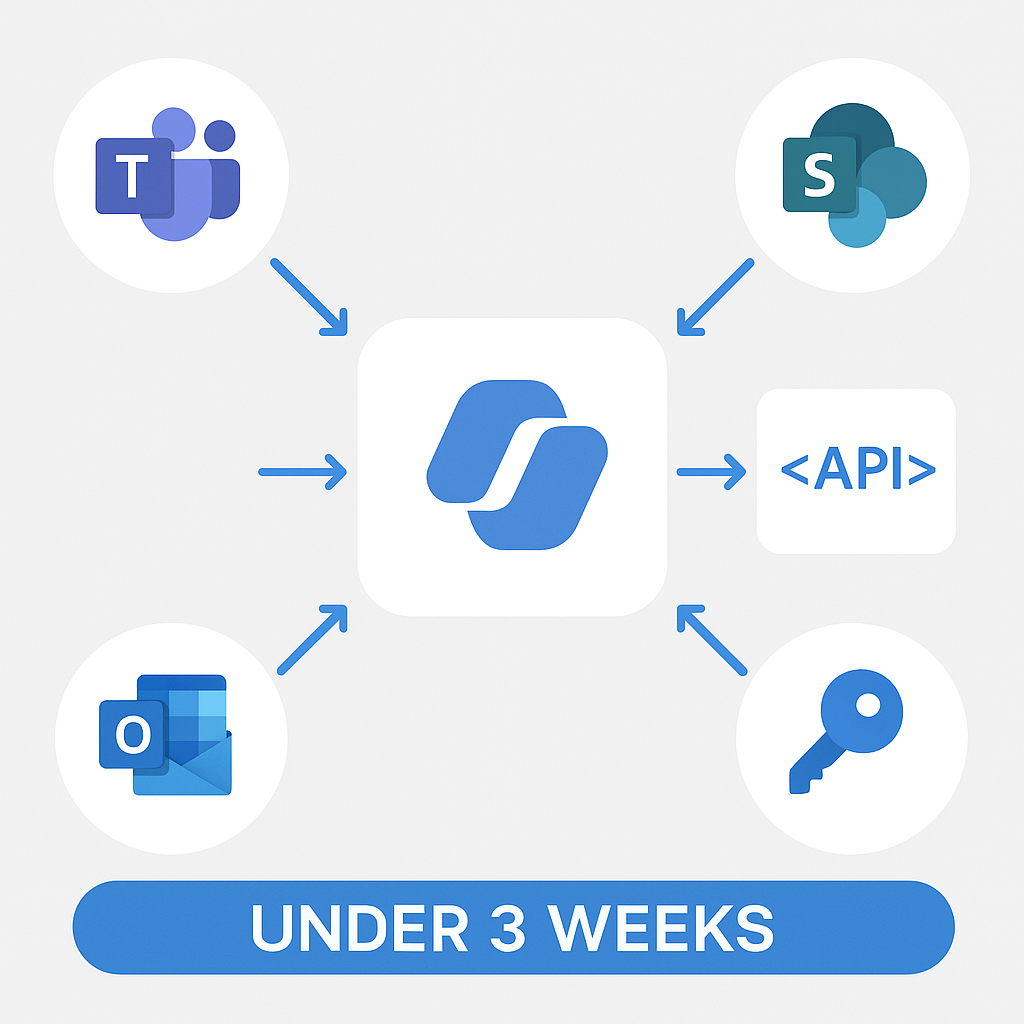
If the use case lives inside Teams, SharePoint, or Outlook, and the timeline is under eight weeks, Copilot Studio is the platform. The pre-built connectors for SharePoint grounding, Graph API, and Teams channels remove months of integration work.
Fully functional internal knowledge bots, grounded on SharePoint document libraries and with SSO authentication, can be delivered in under three weeks using Copilot Studio.
Trigger signals: "We want employees to ask HR questions in Teams." / "Sales needs a bot that pulls data from Dynamics 365." / "IT helpdesk is overwhelmed and we want a first-level triage agent."
2. Your Builders Are Business Analysts, Not Engineers
Copilot Studio's authoring interface is built for people who think in flows and decision trees, not in Python and YAML. If your internal AI champion is a Power Platform developer or a business analyst with good process knowledge, Copilot Studio gives them the surface to build without opening a code editor.
Trigger signals: Limited engineering bandwidth. Power Platform already in use. Citizen developer program in place.
3. Governance and Compliance Are Non-Negotiable From Day One
Copilot Studio enforces Microsoft's responsible AI policies at the platform level. DLP policies from the Power Platform admin center apply automatically. Authentication flows use Microsoft Entra ID natively.
Trigger signals: Healthcare, financial services, public sector. Strict data residency requirements. CISO involvement in AI governance.
4. You Are Extending Microsoft 365 Copilot
If your organization has licensed Microsoft 365 Copilot, Copilot Studio is the extensibility layer. You build declarative agents that appear inside Microsoft 365 Copilot: in Teams, in Word, in the Copilot chat interface.
Trigger signals: M365 Copilot licenses already deployed or planned. Users want specialized agents inside the Microsoft 365 Copilot interface.
When to Choose Microsoft Foundry
1. Your Use Case Requires a Non-Standard Model or Fine-Tuning
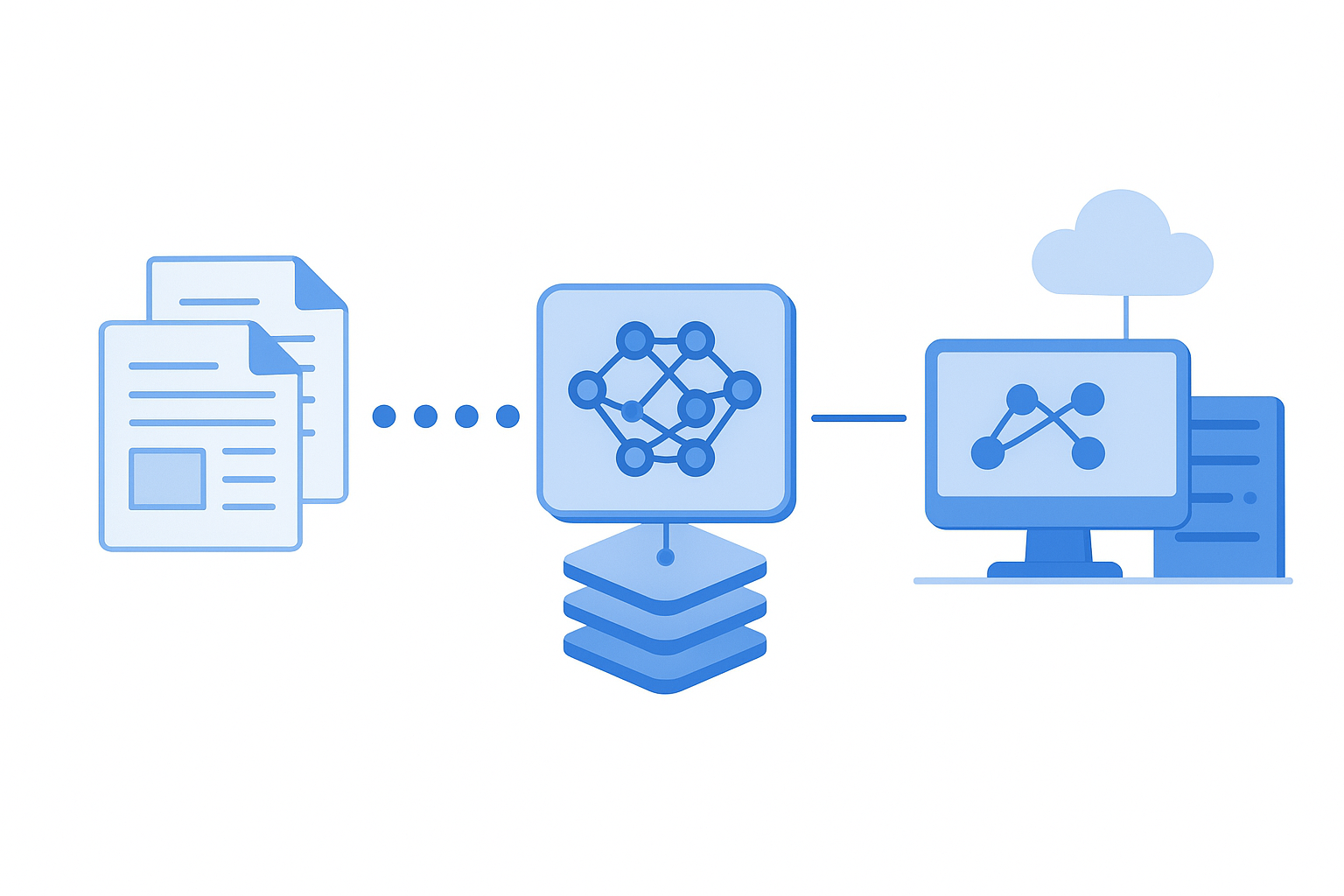
If your organization needs a model trained on domain-specific data such as legal documents, clinical notes or manufacturing defect descriptions, or you need to run a smaller, cost-efficient model like Phi-4 for latency-sensitive workloads, Microsoft Foundry's model catalog and fine-tuning capabilities are essential.
Trigger signals: Highly specialized vocabulary or domain. Latency or cost requirements that exclude GPT-4o. Need to evaluate multiple models against the same benchmark.
2. You Are Building a Customer-Facing or Public Application
Copilot Studio is optimized for internal agents with Microsoft identity. When you need a customer-facing experience, such as a public website chatbot, a customer support agent or an AI-powered product recommendation engine, you need the flexibility of Microsoft Foundry.
Trigger signals: Customer portal. Public website. Native mobile app. Non-Microsoft identity provider.
3. You Need RAG at Scale With Complex Data Sources
For enterprise RAG pipelines spanning multiple unstructured data sources, requiring hybrid search (vector + keyword), and needing chunk-level citation tracking, Microsoft Foundry with Azure AI Search is the right architecture.
Trigger signals: Data sources beyond SharePoint and Dataverse. Custom chunking or metadata filtering. Multi-lingual retrieval. Real-time data grounding.
4. Evaluation and Observability Are Part of Your AI Governance
If your AI governance framework requires systematic output evaluation, covering safety metrics, groundedness scores and relevance metrics, Microsoft Foundry's built-in evaluation framework is the tool.
Trigger signals: AI governance board requiring measurable quality gates. Regulated industry with audit trail requirements for AI output.
Can You Use Both? Yes, and This Is the Architecture I Recommend Most Often
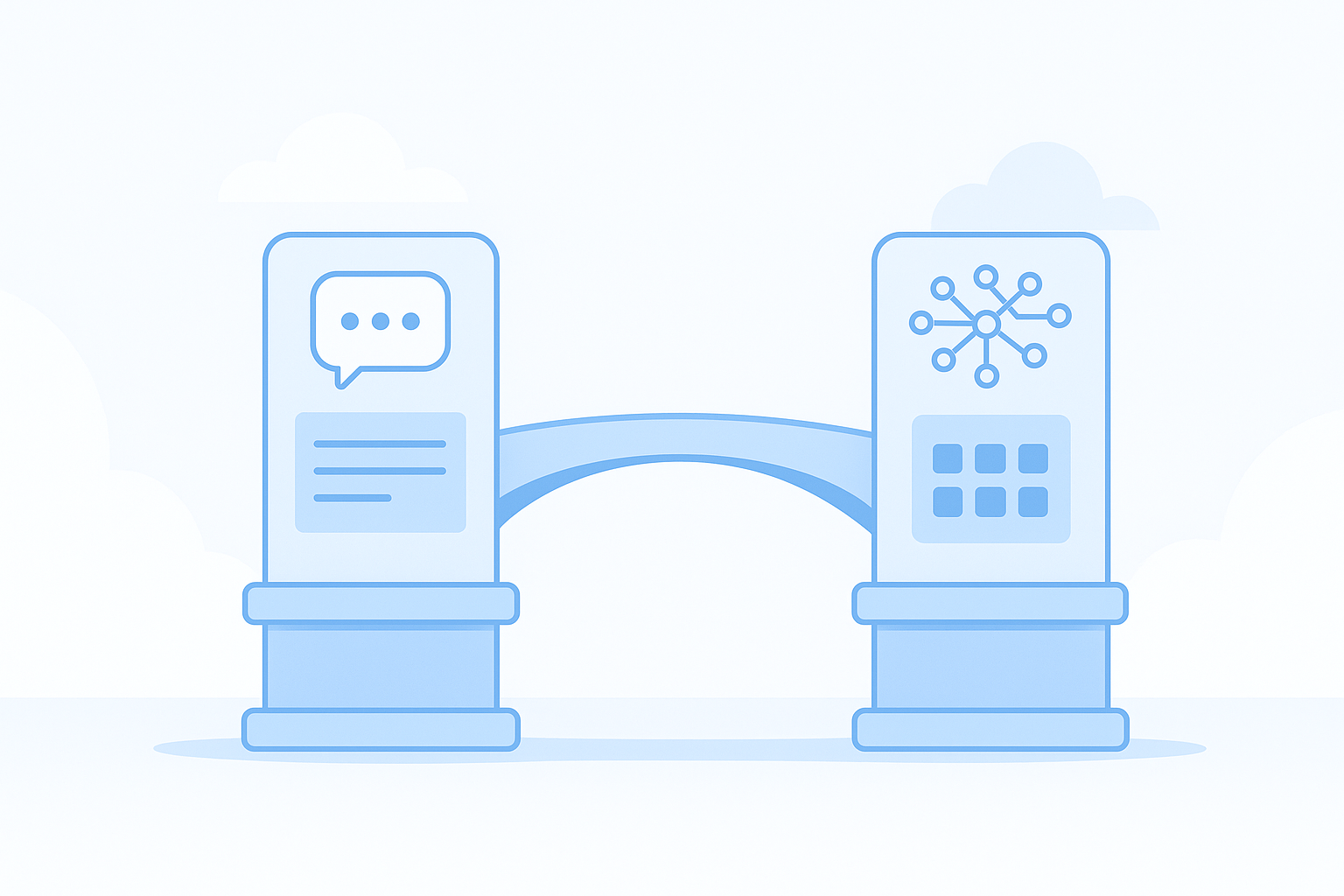
The question is not always either/or. In most mature enterprise AI architectures, Copilot Studio and Microsoft Foundry play different roles in the same system.
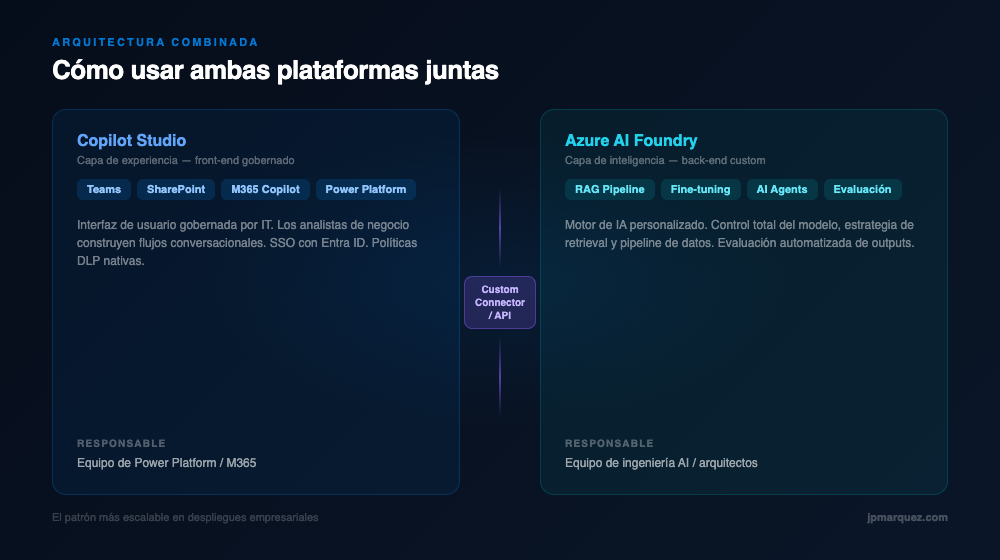
Microsoft Foundry hosts the core AI capability: a custom RAG pipeline, a fine-tuned model, or a specialized AI agent built with Azure AI Agent Service. This backend is exposed as a REST API endpoint or as a custom connector in Power Platform.
Copilot Studio sits at the front. Business users interact with a governed, Microsoft 365-integrated agent. When the query requires the custom AI capability, Copilot Studio calls the Microsoft Foundry endpoint via the connector.
This architecture gives you the best of both platforms: the governed, no-code authoring surface of Copilot Studio, with the depth and control of Microsoft Foundry's custom AI layer.
Common Mistakes I See in the Field
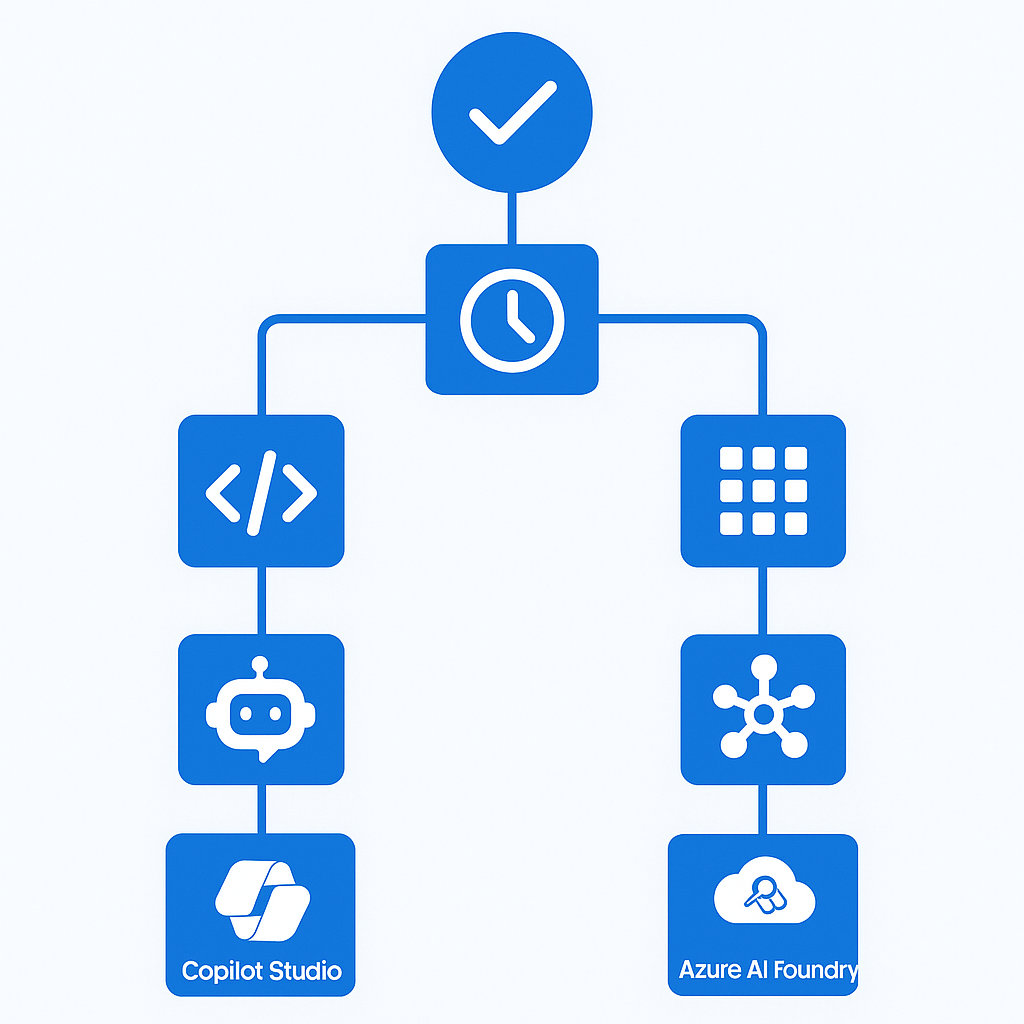
1. Starting with Microsoft Foundry when Copilot Studio would have worked.
Engineering teams default to the code-first platform because it feels more "serious." The result is eight weeks of infrastructure work to deliver a Teams chatbot that Copilot Studio would have shipped in two weeks. Always validate the use case against Copilot Studio first.
2. Treating Copilot Studio as a toy.
IT decision makers dismiss Copilot Studio as "just Power Platform" and miss the fact that it now supports autonomous agent actions, multi-agent orchestration, and Microsoft 365 Copilot extensibility.
3. Skipping evaluation in Microsoft Foundry.
Teams build a RAG pipeline, test it manually with five questions, declare it "good enough," and ship it. Three months later, the business complains about hallucinations. Evaluation is the quality gate that earns trust from the business.
4. Underestimating licensing complexity.
Copilot Studio has message-based pricing that can surprise clients at scale. Model it early.
5. Treating the knowledge base as a one-time setup.
The quality of AI output is directly tied to the quality and freshness of the knowledge source. Knowledge maintenance is an operational process, not a deployment task.
6. No clear ownership model.
Who owns the Copilot Studio agent after go-live? Who monitors the Microsoft Foundry endpoint? Define ownership before you launch.
How to Decide: 5 Questions to Ask Your Team
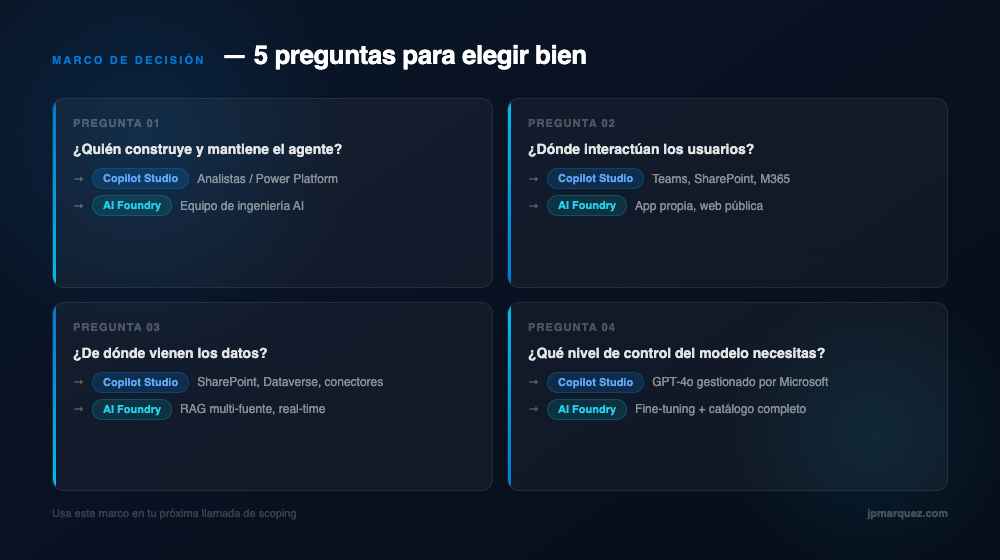
1. Who is building and maintaining this, long-term?
Business analysts or Power Platform team → Copilot Studio. AI engineering team → Microsoft Foundry.
2. Where do users interact with this agent?
Teams, SharePoint, Microsoft 365 → Copilot Studio. Customer portal, mobile app, custom web → Microsoft Foundry.
3. What is the data story?
SharePoint, Dataverse, well-defined connectors → Copilot Studio. Multi-source RAG, real-time data, custom indexing → Microsoft Foundry.
4. What is the timeline and tolerance for complexity?
Faster prototype → Copilot Studio. More powerful custom solution → Microsoft Foundry.
5. What does your AI governance model require?
Systematic evaluation and audit trails → Microsoft Foundry. Built-in responsible AI policies and Power Platform DLP → Copilot Studio.
Conclusion
Copilot Studio vs Microsoft Foundry is not a battle. It is a spectrum. My rule of thumb after dozens of scoping conversations: start with the simplest platform that can deliver the required outcome.
For most internal-facing conversational agents in the Microsoft 365 ecosystem, that is Copilot Studio. For custom AI applications, customer-facing solutions, or anything requiring model-level control, that is Microsoft Foundry. And when the use case is large and complex enough, the hybrid architecture is the most scalable and maintainable pattern I have found in enterprise deployments.
If your team is working through this decision right now, I have put together a one-page Decision Framework that maps these five questions to a clear recommendation, the same checklist I use on scoping calls.
Frequently asked questions
Can I use Copilot Studio and Microsoft Foundry in the same solution?
Yes, and for larger use cases that hybrid pattern is the one I keep coming back to: Copilot Studio as the conversational front end inside Microsoft 365, Microsoft Foundry doing the retrieval and model work behind it. You get the channel integration without giving up model-level control.
Which one is cheaper to start with?
Copilot Studio, almost always. But "start" is doing a lot of work in that sentence. Its cost shows up later as message consumption spread across many agents nobody is tracking, which is a governance problem before it is a licensing one. I went through that in detail in the hidden cost of Copilot Studio agents.
Do I need an AI engineering team to use Microsoft Foundry?
Effectively yes. Foundry gives you control over models, tools, evaluation, and networking, and someone has to own those decisions and the environment they run in. If nobody on the team wants that ownership, the honest answer is Copilot Studio. What the environment itself takes is in the enterprise setup guide.
Does the platform choice change what it takes to reach production?
Less than teams expect. Identity, data governance, evaluation, and observability are required on both paths. They are just expressed differently. That is the argument behind the five gates from pilot to production.
Is Azure AI Studio the same as Microsoft Foundry?
Yes. Azure AI Studio was renamed Azure AI Foundry, and later Microsoft Foundry. If you are searching for Azure AI Studio or Microsoft AI Studio, you are looking at the platform this article calls Microsoft Foundry. The name changed, the product did not fork.
How does Azure AI Studio pricing compare to Copilot Studio pricing?
They bill on different units, which is why a direct number comparison misleads. Microsoft Foundry (Azure AI Studio) is consumption based: you pay for model tokens, compute and the Azure services you attach, so cost tracks usage and can start near zero. Copilot Studio bills through capacity assigned to your tenant, so cost is predictable per seat or per message pack but does not fall to zero when nobody uses it. Check the current published rates before budgeting, because both have been repriced more than once.
How do Copilot Studio and Azure AI Foundry compare to AWS Bedrock?
Bedrock sits in the same category as Microsoft Foundry: managed access to foundation models plus the plumbing to build your own application on top. The honest comparison is Foundry against Bedrock. Copilot Studio has no real AWS equivalent, because its value comes from being wired into Microsoft 365 identity, Graph data and Teams distribution.
Is Azure AI Foundry the same as GitHub Copilot?
No. GitHub Copilot writes code inside your editor for developers. Azure AI Foundry is where you build and run the AI application itself. A team can use GitHub Copilot to write the code that ships on Foundry, and most do.
When should I use Azure AI Search instead of Copilot Studio?
That framing hides a trap, because they solve different layers. Azure AI Search is a retrieval engine you point at your content, and it is what makes RAG return the right passage. Copilot Studio is the agent surface your users talk to. In a serious deployment you often run both: Search does retrieval, the agent does the conversation.
Juan Pedro Márquez is a Cloud Solution Architect specialising in Microsoft Foundry, Copilot Studio, and Microsoft 365. He writes about enterprise AI transformation from real projects.
Related Reading
Looking for more on enterprise AI decision-making? Browse all articles on the blog, or read the Spanish version of this guide: Copilot Studio vs Microsoft Foundry en Español.