Copilot M365 Governance Framework: CIO Guide 2026
· AI Governance · 12 min read
By Juan Pedro Márquez
📋 Quick Reference
Audience: IT architects, CISOs, and project leads responsible for Copilot M365 rollouts
Time to read: ~12 minutes
Skill level: Intermediate
Prerequisites: Familiarity with Microsoft 365 administration, Entra ID, and Microsoft Purview
What you'll get: A 3-layer governance framework with specific controls at each layer, plus the governance checklist most partners skip
In short: Microsoft 365 Copilot governance is the practice of securing identity, classifying data, and setting AI-use policy before you activate Copilot — not after. It rests on three layers: a clean identity foundation (MFA, Conditional Access, PIM), data classification with Purview sensitivity labels, and AI-specific controls with audit logging. Get the order wrong and Copilot surfaces oversharing you never knew you had.
The Governance Conversation Nobody Has Before Day One
Every Microsoft 365 Copilot deployment I've worked on in EMEA has the same starting point: leadership excited about productivity gains, an IT team under pressure to activate the licenses as fast as possible, and a governance conversation that gets scheduled for "after the pilot."
That sequence is backwards. And the consequences — overshared documents surfaced by AI, compliance incidents, DPO escalations — are predictable enough that they should no longer surprise anyone.
I've been involved in 20+ enterprise AI deployments across EMEA in the past year. The projects that went smoothly shared one common pattern: governance was established before Copilot was activated, not after.
This post is the framework I use. It's not what most Microsoft partners will tell you, because governance slows down the demo and complicates the contract. But it's what protects your organization when AI starts surfacing what your permissions model already allowed.
Why Partners Skip the Governance Layer
Before getting into the framework itself, it's worth understanding the incentive structure.
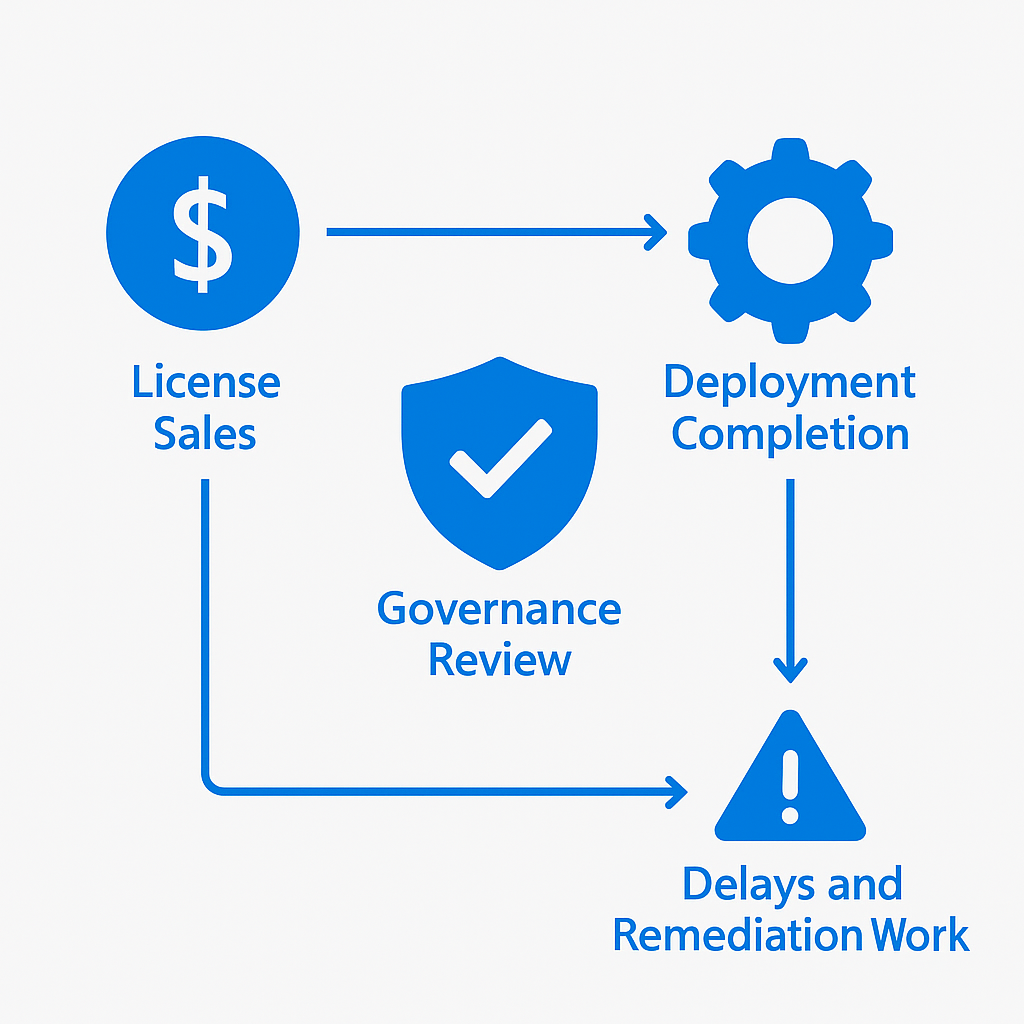
Microsoft partners are typically compensated for licenses sold and deployments completed. A thorough governance review often reveals problems — overshared SharePoint libraries, misconfigured DLP policies, unreviewed sensitivity labels — that create delay and require remediation work outside the original project scope.
The path of least resistance is to activate Copilot, run a successful demo with clean data, and move on. The governance gaps only surface later, when real users interact with real data at scale.
This isn't malice. It's project economics. Understanding this helps you ask the right questions before signing an implementation contract.
The 3-Layer Governance Framework
Effective Copilot M365 governance operates at three distinct layers. Each layer is a prerequisite for the next. Skipping to Layer 3 — which is where most implementations start — creates the conditions for exactly the incidents that make headlines.
Layer 1: Identity and Access Foundation
Before AI touches your data, your identity layer needs to be clean. Microsoft Entra ID Conditional Access is your first control plane.
The minimum posture I require before any Copilot activation:
MFA enforced for all users — not just administrators. Copilot works with the permissions of the authenticated user. If an account is compromised, Copilot becomes a vector for data extraction at scale, through natural language, in seconds.
Conditional Access policies scoped and tested — device compliance, location-based access, and risk-based authentication. A zero-trust posture isn't optional when you're activating AI that reads your entire Microsoft 365 environment.
Privileged Identity Management (PIM) active — administrative accounts should not have standing access. Azure AD Privileged Identity Management provides just-in-time elevation with full audit trails and approval workflows.
Guest access reviewed — external users with access to SharePoint sites are particularly high-risk. Copilot will surface content they have permission to see, which is often more than anyone remembers granting.
A gap I find consistently: organizations have MFA configured but haven't enforced it for legacy authentication protocols (SMTP, IMAP, MAPI). Copilot operates through modern authentication, but open legacy protocols represent adjacent risk that belongs in the same remediation pass.
Layer 2: Data Classification and Information Protection
This is the layer that takes the most work and has the highest impact on Copilot behavior. Microsoft Purview Information Protection is the foundation.
Sensitivity labels are the mechanism through which your data classification informs AI behavior. Without labels, Copilot has no way to distinguish a public marketing document from a confidential board presentation. It will treat both identically — surfacing them if they match a query.
Sensitivity labels in Microsoft Purview apply across the full M365 surface: SharePoint sites and document libraries, individual files in OneDrive, emails and calendar items in Exchange, and Teams channels, chats, and meeting recordings.
My minimum threshold before Copilot activation: 60% of SharePoint content must be labeled. Below that, the data governance posture is insufficient for AI deployment at scale. This threshold is derived from where incidents cluster in organizations that deploy without adequate label coverage.
Data Loss Prevention policies need to explicitly cover AI interactions. Microsoft Purview DLP can now be configured to apply to Copilot interactions — preventing sensitive information from being included in AI responses or inadvertently surfaced through prompts.
The SharePoint permission audit is non-negotiable. I run a permissions report on the top 100 most-accessed SharePoint sites before every deployment. The results are consistently alarming: sites shared with entire domain groups, documents with "anyone with the link" access indexed for years, external collaborators with broader access than anyone remembered granting.
Copilot doesn't create access. It surfaces what was already accessible — at scale, through natural language. The SharePoint permission audit makes visible what was always true but never this efficiently searchable.
The Microsoft Purview AI Hub — Purview's dedicated AI governance hub — consolidates oversight of AI interactions across the tenant, giving visibility into which users are interacting with what content through Copilot, and flagging potential oversharing events before they escalate.
Layer 3: AI Policy and Copilot Controls
Once Layers 1 and 2 are solid, AI-specific policy and controls become meaningful. Microsoft 365 Copilot admin controls give you granular deployment options.
User and group enablement — Copilot should not be activated for all users simultaneously. Start with a controlled group: a single department or a small cross-functional pilot team. This limits blast radius during initial deployment and generates real-world data before broad rollout.
Usage policy documentation — employees need to know what Copilot is and isn't appropriate for. This isn't a legal boilerplate document — it's an active communication explaining what data Copilot can access, what prompts are appropriate for work contexts, and what the organization's expectations are around AI use.
Copilot audit logs — Microsoft 365 audit logging captures Copilot interactions. These logs are your evidence trail for compliance investigations and your source of truth for understanding how employees actually use the tool versus how you expected them to.
The privacy architecture — Microsoft's Copilot privacy documentation is explicit: Copilot accesses content through Microsoft Graph on behalf of the authenticated user. It does not store content or use organizational data to train models. What it can access is exactly what that user can access. The governance responsibility is yours, not Microsoft's.
The Activation Checklist
Based on 20+ EMEA deployments, this is what I require before any Copilot M365 activation:
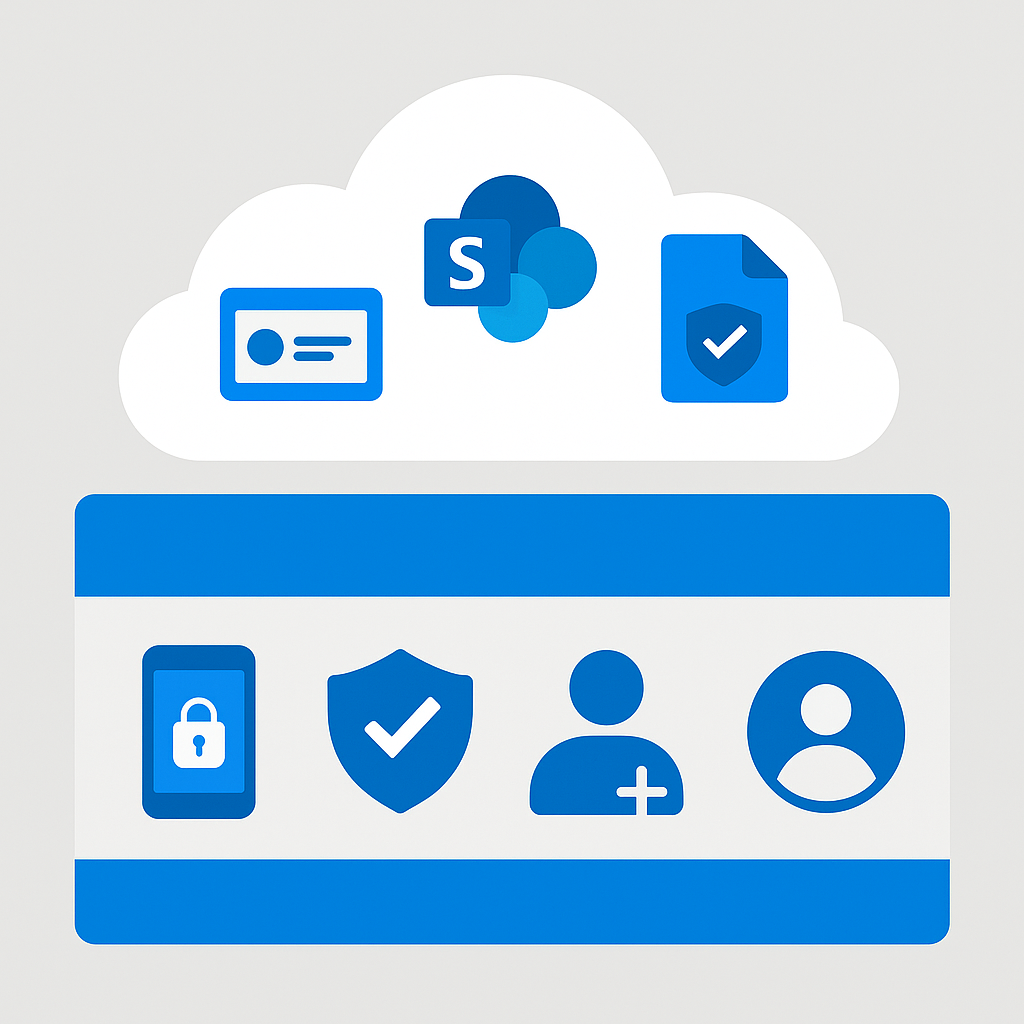
Identity (Layer 1)
- MFA enforced for 100% of users, including service accounts
- Legacy authentication protocols blocked
- Conditional Access policies documented and tested
- PIM active for all privileged roles
- Guest access reviewed and minimized to active collaborators
Data (Layer 2)
- Sensitivity label taxonomy defined and published organization-wide
- 60% or more of SharePoint content labeled — verified, not estimated
- DLP policies covering AI interaction scenarios configured and tested
- Top 100 SharePoint sites permission audit completed
- "Anyone with link" sharing disabled or scope-limited at tenant level
AI Policy (Layer 3)
- DPO sign-off on AI deployment and data processing implications
- User-facing usage policy drafted, reviewed, and communicated
- Copilot enabled for pilot group only — not all users
- Audit logging confirmed active and retention period defined
- Escalation path documented for AI-related incidents
Common Mistakes and Their Consequences
Activating before the data audit. Copilot surfaces documents that were technically accessible but practically invisible. HR salary files, legal correspondence, historical board minutes — all become conversationally queryable. The first incident typically arrives within two weeks of broad rollout.
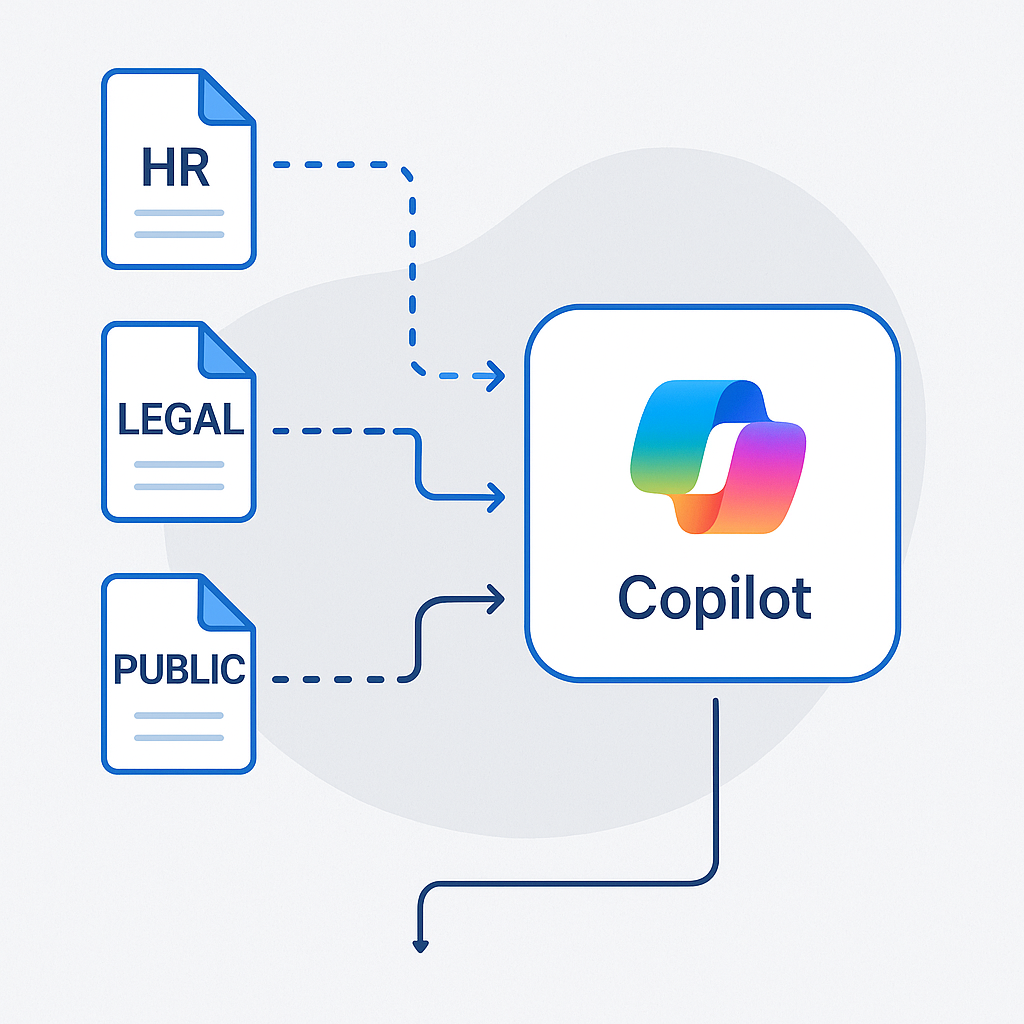
Treating sensitivity labels as optional. Without labels, there's no mechanism to prevent Copilot from treating confidential data identically to public data. DLP policies have nothing to enforce. The label taxonomy is the foundation everything else builds on.
Skipping the DPO. AI deployment that hasn't passed through data protection review becomes a regulatory liability under GDPR and, increasingly, under EU AI Act requirements for AI systems in the workplace.
All-user activation at launch. There's no ability to measure behavior in a controlled way. Issues surface across the organization simultaneously, making root cause analysis impossible and remediation politically complex.
Assuming Microsoft's security handles everything. Microsoft secures the platform. You are responsible for what you put on it and how you configure access to it. The Microsoft shared responsibility model is explicit on this distinction.
What Happens Without This Framework
The pattern is consistent across the projects I've been brought in to remediate:
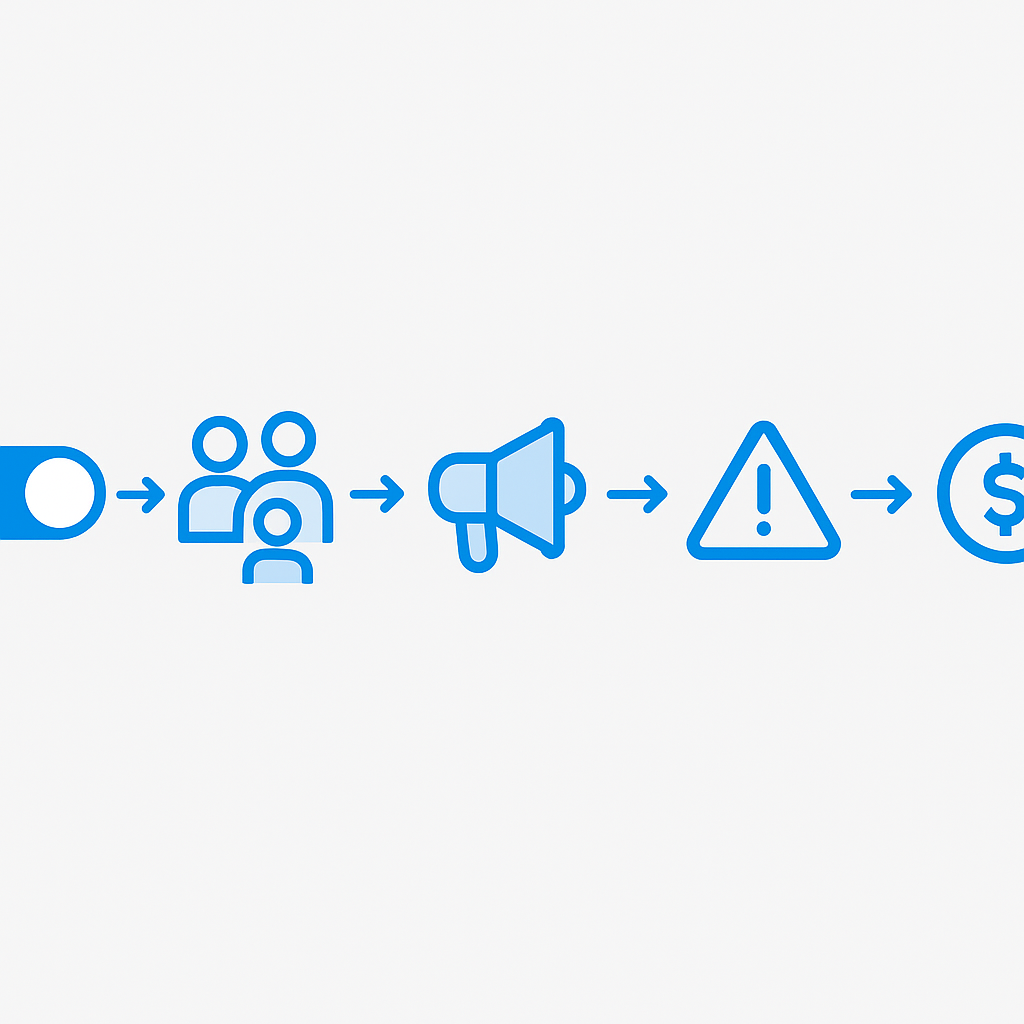
- Copilot activated with minimal governance review
- Successful pilot with a selected group using curated content
- Broad rollout to all users
- First incident — an employee discovers content they weren't expecting to access
- Emergency governance review surfaces everything the pre-deployment audit would have found
- Remediation project runs under pressure, costs more than the original governance work, and takes longer
The governance framework isn't about slowing down the deployment. It's about making it sustainable and protecting the organization from incidents that are entirely predictable — and therefore entirely preventable.
Related Reading
For the broader question of which Microsoft AI platform fits your use case — not just M365 Copilot but Azure OpenAI and AI Foundry — the platform decision framework is here: How to Choose Between Copilot Studio, Azure AI Foundry, and Azure OpenAI.
For organizations ready to move beyond governance and into building custom AI agents on the M365 platform, the step-by-step guide is here: Build Your First Copilot Studio Agent in One Day.
The Starting Point for Your Organization
If you're responsible for a Copilot M365 deployment and want a concrete first action: request the SharePoint permissions report today. It takes under an hour to generate via the SharePoint admin center and will tell you more about your actual governance posture than any vendor assessment.
Your data governance posture was already what it was before Copilot. AI just makes it visible — faster, at scale, through natural language. The framework above is what I use to make sure that visibility works in your organization's favor, not against it.
Copilot M365 Governance Activation Checklist
Use this before every Copilot M365 activation. Each layer must be complete before moving to the next.
Layer 1: Identity & Access Foundation
- MFA enforced for all users (not just administrators)
- Conditional Access policies configured and tested
- Privileged Identity Management (PIM) active for admin roles
- Guest access reviewed — external users should not access Copilot
- Security defaults or equivalent baseline applied
Layer 2: Data Classification
- Microsoft Purview sensitivity labels deployed across SharePoint, OneDrive, Teams, Exchange
- At least 60% of SharePoint content labeled before activation
- DLP policies configured for sensitive label types
- Oversharing assessment completed for top 50 SharePoint sites
- Legacy permissions audit completed (sites shared with "Everyone" or "All company")
Layer 3: AI Policy & Controls
- Acceptable use policy published and signed by users
- Approved use cases documented and communicated
- Prohibited use cases explicitly defined
- Copilot usage logging enabled in Microsoft Purview
- DPO sign-off obtained (not just IT sign-off)
- Incident response process for AI-related data incidents defined
Ongoing
- Quarterly access review for SharePoint sites
- Monthly review of Copilot usage reports in Microsoft 365 Admin Center
- Annual refresh of acceptable use policy
- DPO briefing on AI usage patterns (at least twice per year)
This checklist reflects documented Microsoft best practices and patterns from enterprise Copilot deployments across EMEA. The governance conversation must happen before activation, not after.
Frequently Asked Questions
Does Microsoft 365 Copilot create new access to data?
No. Copilot accesses content through Microsoft Graph using the permissions of the signed-in user — it never grants new access. The risk is that it surfaces what was already over-shared, at scale and through natural language. That is why a SharePoint permissions audit comes before activation, not after.
What percentage of SharePoint content should be labeled before activating Copilot?
My working threshold is at least 60% of SharePoint content carrying a Purview sensitivity label before broad activation. Below that, DLP has too little to enforce and Copilot cannot distinguish confidential material from public. Label coverage — verified, not estimated — is the single highest-impact control.
Is Copilot governance Microsoft's responsibility or mine?
Yours. Under the shared responsibility model, Microsoft secures the platform and confirms Copilot does not train on your data, but access configuration, data classification, and AI-use policy are the customer's job. Copilot inherits whatever governance posture you already had.
Who needs to sign off before a Copilot rollout?
Beyond IT, get explicit DPO (data protection officer) sign-off. AI deployment without a data-protection review is a GDPR and EU AI Act liability. Document an incident-escalation path too — the first oversharing discovery usually lands within two weeks of broad rollout.
📋 Free Download: The Microsoft AI Governance Playbook
Everything covered in this article — the 3-layer framework, the decision matrix, the 20-question readiness assessment, and the 5 failure modes I see every month in EMEA — is packaged in a single PDF for IT Directors and CIOs.
(Get the free PDF by entering your email in the form below.)
Ready to map your specific governance roadmap? Let's talk →