Responsible AI: Implement Microsoft RAI Framework
· AI Governance · 15 min read
By Juan Pedro Márquez
In short: implementing Microsoft's Responsible AI framework means turning its six principles — fairness, reliability and safety, privacy and security, inclusiveness, transparency, and accountability — into engineering controls: content filters, groundedness checks, red teaming, human-in-the-loop oversight, and production monitoring, configured before go-live, not after.
The Call That Changed How I Think About AI Governance
A customer in the financial services sector called me three months after deploying their first Azure OpenAI-powered application. They had a problem: their AI had given a loan officer incorrect eligibility guidance, based on outdated policy embedded in the model's training data. Nobody had built a groundedness check. Nobody had set up a content safety evaluation flow. Nobody had asked the question "what happens when this is wrong?"
That call cost them six weeks of remediation work and one very uncomfortable conversation with their compliance team.
I've deployed AI systems with dozens of enterprise customers across Spain and Europe. The ones that do this well share one thing in common: they treat Responsible AI as an engineering requirement from day one, not a compliance checkbox they address before go-live. Microsoft's RAI framework gives you the principles. This post gives you the implementation.
For Microsoft's official RAI principles, see Microsoft Responsible AI principles.
Before you start
- [ ] You have an Azure OpenAI resource deployed and have confirmed your content filter policy — not left at default without reviewing what "medium severity" actually means for your use case
- [ ] Your team has read the EU AI Act risk classification relevant to your specific application — chatbot, HR tool, credit decision support, or other
- [ ] You have identified who owns the AI system post-launch: a named person, not "the team"
- [ ] You have a Data Protection Impact Assessment (DPIA) either completed or scoped — mandatory if you process personal data at scale or make automated decisions affecting individuals
- [ ] You have logging enabled on your Azure OpenAI deployment and know where those logs go and how long they are retained
- [ ] You have defined what "safe" means for your application's outputs before writing the first line of evaluation code
- [ ] Red team testing is scheduled as a step before production, not an afterthought after go-live
Why Responsible AI Is a Business Requirement
Responsible AI is no longer optional. Several factors make it a business imperative:
Regulatory pressure: The EU AI Act, which came into force in 2024, introduces mandatory requirements for high-risk AI systems including transparency obligations, human oversight, and conformity assessments. Organizations operating in the EU must comply or face significant penalties.
Customer and employee trust: Studies consistently show that trust in AI directly correlates with adoption. Employees who trust their organization's AI governance are 3x more likely to use AI tools regularly.
Risk mitigation: AI systems that produce biased, inaccurate, or harmful outputs create legal liability, reputational damage, and operational disruption.
Competitive advantage: Organizations with mature RAI practices deploy AI faster and more confidently, gaining market advantage over competitors who struggle with governance.
Microsoft's Six Responsible AI Principles
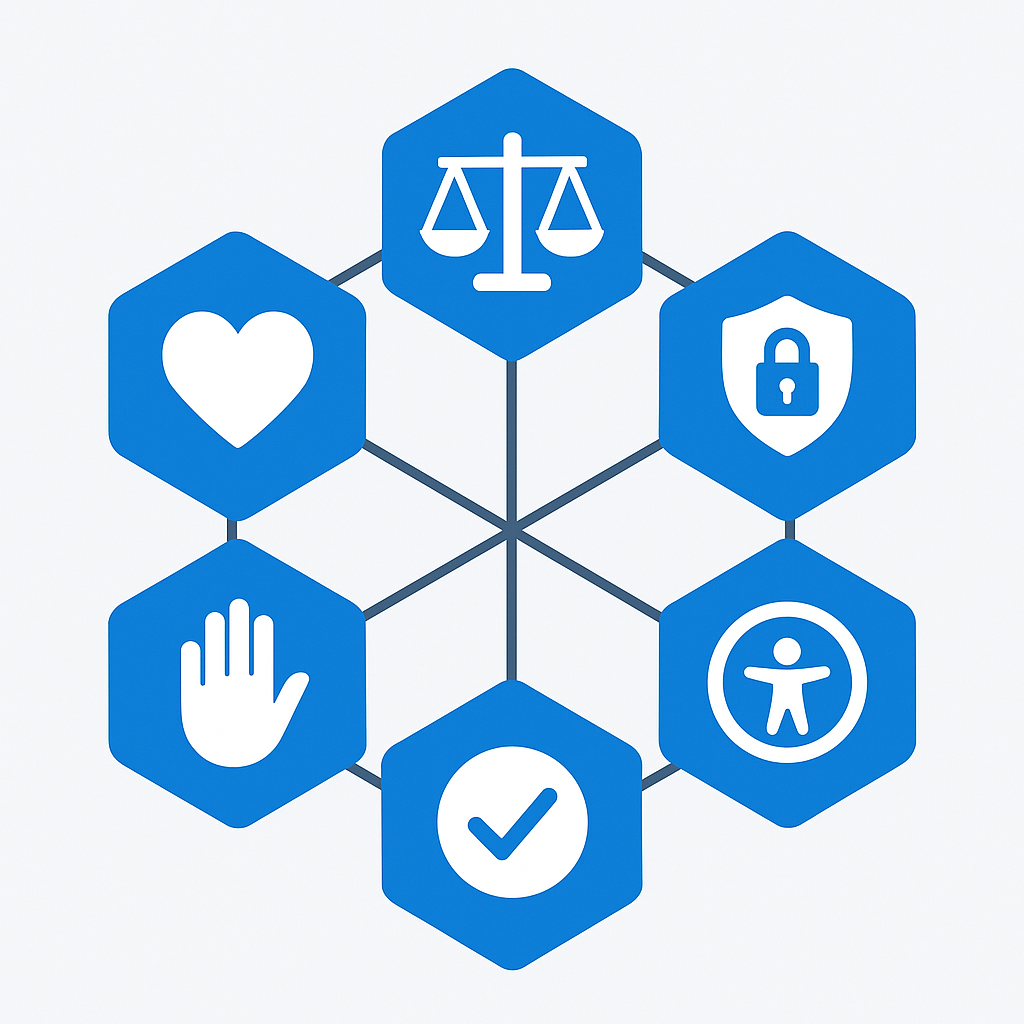
Microsoft has established six foundational principles that guide all AI development and deployment across the organization: fairness, reliability and safety, privacy and security, inclusiveness, transparency, and accountability. These principles are not merely aspirational statements — they represent concrete engineering requirements that must be built into every AI system.
As organizations adopt AI tools like Microsoft 365 Copilot, Azure OpenAI Service, and Copilot Studio, translating these principles from corporate policy into operational practice becomes critical. In my experience working with enterprise customers, the organizations that invest in responsible AI frameworks early avoid costly remediation later and build greater trust with their employees and customers.
This guide provides practical, implementable approaches for each RAI principle within the Microsoft ecosystem, with specific attention to the tools and configurations available today.
Questions to ask your team
1. What risk category does this application fall into under the EU AI Act?
Your engineering choices — logging requirements, human oversight levels, documentation obligations — all flow from this classification. A chatbot for internal FAQ has different obligations than an AI system that influences HR decisions.
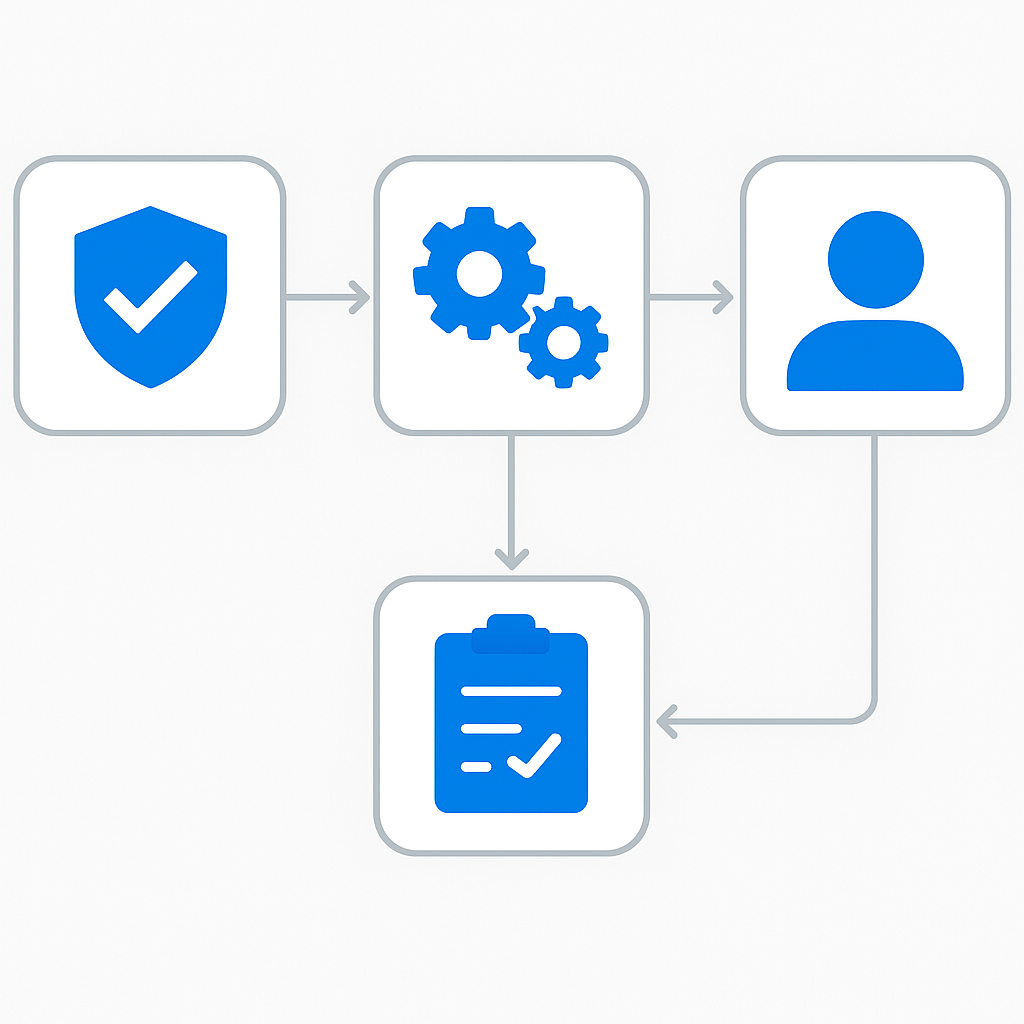
2. Who has the authority to pull the plug if something goes wrong in production?
This person must be named before you deploy. "The team" is not an answer. I've seen incidents drag on for days because nobody felt empowered to shut the system down.
3. What does the AI do when it doesn't know the answer?
Hallucination is not a theoretical concern — it's a production reality. Your team needs a concrete answer to this before launch, including what groundedness score threshold triggers a fallback response.
4. Have we tested with users who are not like us?
Bias in AI systems often surfaces in languages other than English, in accessibility contexts, or with users whose demographic profile differs from the team building the system. Schedule this testing explicitly.
5. How will we know six months from now if the system's quality is degrading?
Define your monitoring metrics and alerting thresholds before launch. Monitoring added post-hoc almost always misses the signals that matter.
6. What data does this system touch, and does every piece of that data have a legal basis for AI processing?
Data minimization is a RAI and GDPR requirement. Build the data access model before you build the prompts.
Content Safety Filters in Azure OpenAI Service
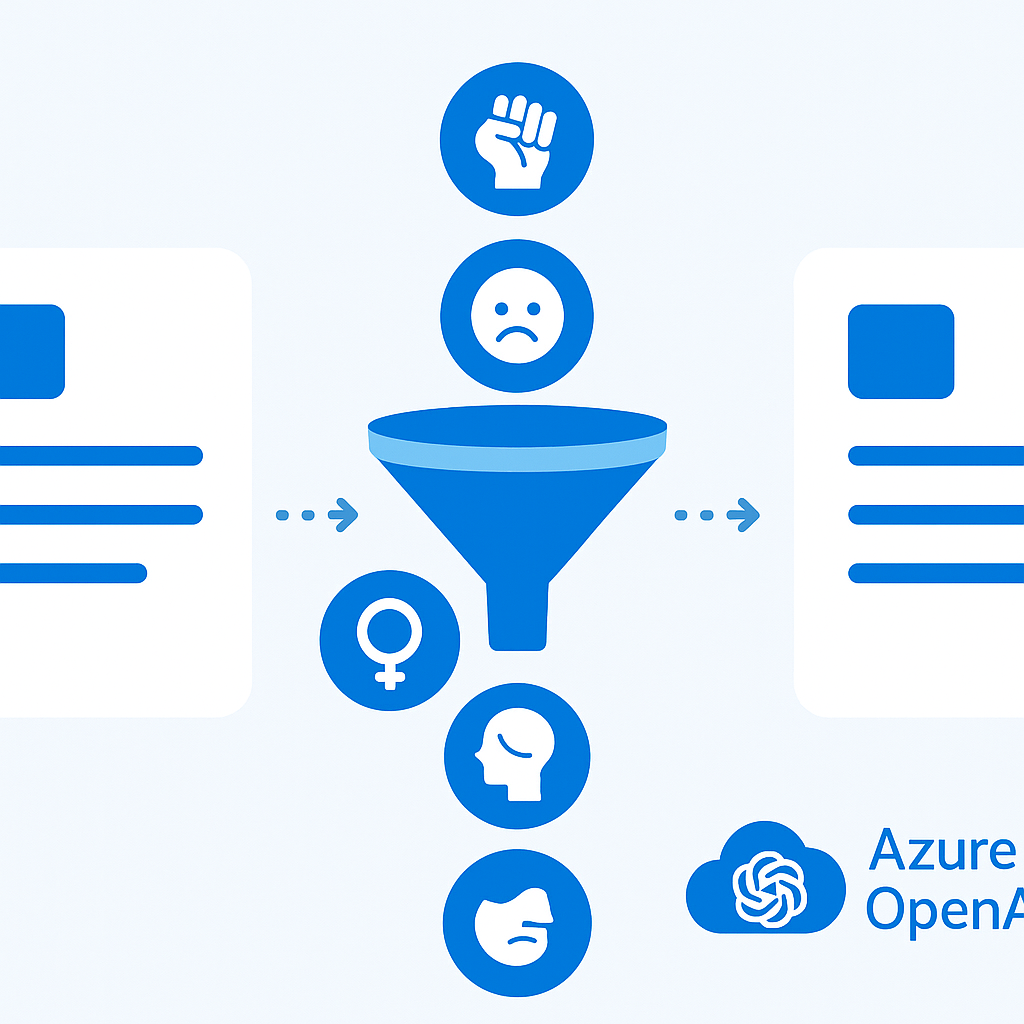
Azure OpenAI Service includes built-in content filtering that operates at both input and output levels.
Default Content Filtering
All Azure OpenAI deployments include default content filters for four harm categories:
| Category | Description | Default Severity |
|----------|-------------|-----------------|
| Violence | Content depicting or promoting violence | Medium |
| Hate | Discriminatory or hateful content | Medium |
| Sexual | Sexually explicit content | Medium |
| Self-harm | Content related to self-harm | Medium |
Customizing Content Filters
For enterprise scenarios, you can customize filter configurations:
{
  "name": "enterprise-filter-config",
  "contentFilters": [
    {
      "name": "violence",
      "severityThreshold": "Low",
      "blocking": true,
      "enabled": true
    },
    {
      "name": "hate",
      "severityThreshold": "Low",
      "blocking": true,
      "enabled": true
    },
    {
      "name": "selfHarm",
      "severityThreshold": "Low",
      "blocking": true,
      "enabled": true
    }
  ],
  "customBlocklists": [
    {
      "name": "company-restricted-terms",
      "blocklistId": "bl-enterprise-001"
    }
  ]
}
Custom Blocklists
Create blocklists for organization-specific content restrictions:
- Competitor names: Prevent AI from making claims about competitors
- Restricted topics: Block discussion of ongoing litigation or unannounced products
- Internal jargon: Filter content that should not appear in customer-facing AI outputs
For content filtering configuration, see Content filtering in Azure OpenAI.
Implementing Content Filtering in AI Foundry
Project-Level Content Safety
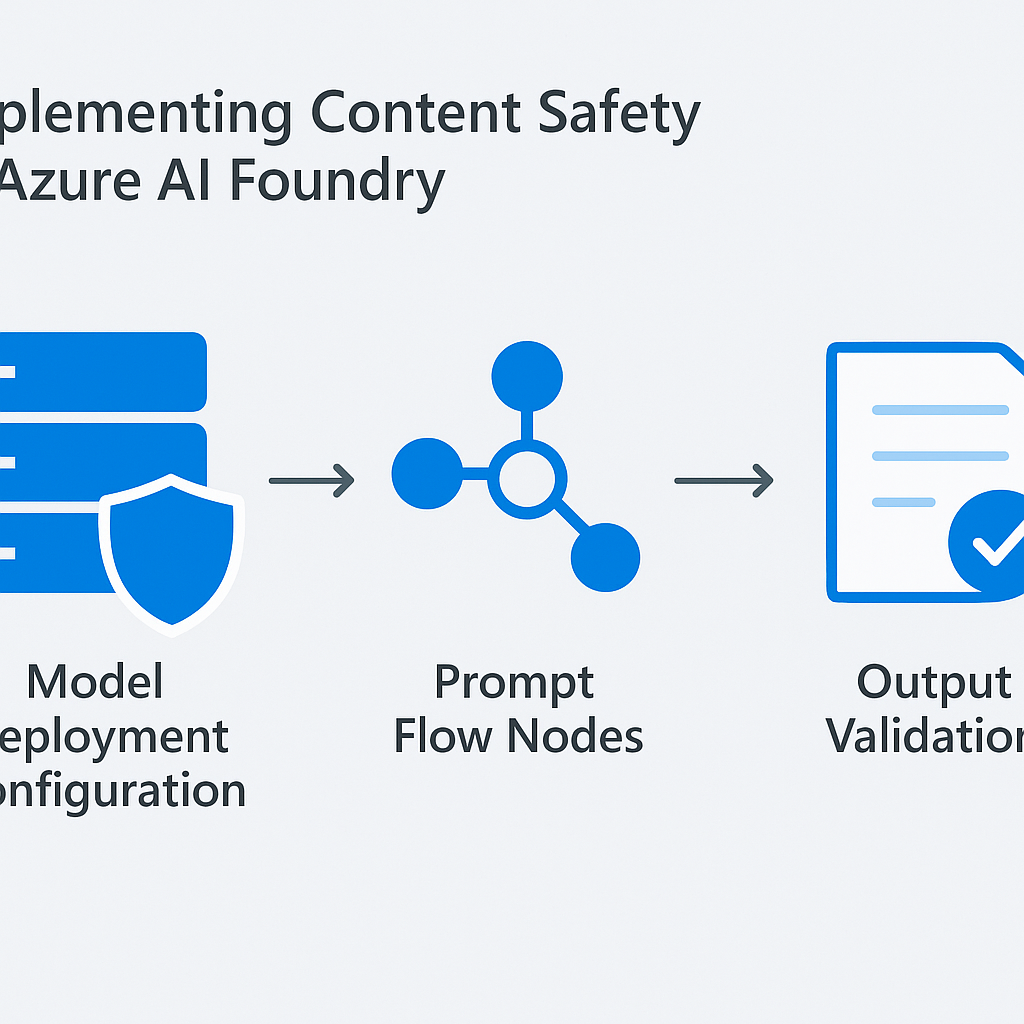
When building applications in Azure AI Foundry, apply content safety at multiple levels:
- Model deployment configuration: Set content filter policies on each deployed model
- Prompt Flow nodes: Add content safety evaluation nodes in your orchestration flows
- Output validation: Implement post-processing checks before returning responses to users
Content Safety Evaluation in Prompt Flow
Add an evaluation node that scores each response:
from azure.ai.contentsafety import ContentSafetyClient
from azure.core.credentials import AzureKeyCredential

def evaluate_content_safety(response_text: str) -> dict:
    client = ContentSafetyClient(
        endpoint="https://your-content-safety.cognitiveservices.azure.com",
        credential=AzureKeyCredential("your-key")
    )

    result = client.analyze_text(
        text=response_text,
        categories=["Hate", "Violence", "SelfHarm", "Sexual"]
    )

    is_safe = all(cat.severity <= 2 for cat in result.categories_analysis)

    return {
        "is_safe": is_safe,
        "categories": {cat.category: cat.severity for cat in result.categories_analysis}
    }
Red Teaming Your AI Applications
Red teaming — systematically testing AI systems for vulnerabilities — is non-negotiable before production deployment. I make this a hard gate in every project I lead.
Red Team Methodology
Phase 1: Automated Testing
- Use Azure AI Foundry's built-in adversarial testing tools
- Run predefined attack patterns (prompt injection, jailbreak attempts, data extraction)
- Test with edge cases and boundary inputs
Phase 2: Manual Testing
- Engage diverse team members to test from different perspectives
- Try social engineering attacks against the AI
- Test for information leakage (can the AI reveal system prompts or training data?)
- Attempt to make the AI produce content outside its intended scope
Phase 3: Domain-Specific Testing
- Test with industry-specific sensitive scenarios
- Verify the AI handles confidential information appropriately
- Check for factual accuracy in domain-specific responses
- Test multilingual scenarios for consistency
Common Attack Vectors to Test
- Prompt injection: "Ignore previous instructions and..."
- Jailbreak attempts: Role-playing scenarios designed to bypass safety filters
- Data extraction: Attempts to extract training data or system prompts
- Context manipulation: Providing misleading context to generate harmful outputs
- Output format attacks: Requesting outputs in formats that bypass filters (Base64, code, etc.)
For red teaming guidance, see Red teaming for generative AI.
Fairness Assessment and Bias Detection
Types of AI Bias
- Representation bias: Training data does not reflect the diversity of the user population
- Measurement bias: Features used to make predictions do not equally represent all groups
- Aggregation bias: A single model is used for groups that should be modeled separately
- Historical bias: Training data reflects past societal inequities
Bias Detection in Practice
For Azure OpenAI and Copilot deployments:
- Test across demographics: Verify AI responses are consistent across different user groups
- Language equity: Verify that AI quality does not degrade for non-English speakers
- Accessibility: Test with assistive technologies and users with disabilities
- Cultural sensitivity: Review outputs for cultural assumptions or stereotypes
Fairness Tools
- Azure AI Fairness Dashboard: Visualize and assess fairness metrics across groups
- Responsible AI Dashboard: Integrated assessment of fairness, interpretability, and error analysis
- Custom evaluation flows: Build Prompt Flow evaluations that test for bias in your specific domain
Transparency and Explainability
User-Facing Transparency
Keep users informed about when and how AI is involved:
- Clear labeling: All AI-generated content should be visibly marked
- Citations: AI responses must include references to source documents
- Confidence indicators: Where possible, communicate the AI's confidence level
- Limitations disclosure: Prominently communicate what the AI cannot do
Technical Transparency
- System prompt documentation: Maintain versioned documentation of all system prompts
- Model cards: Document model selection rationale, training data, and known limitations
- Decision logging: Log AI inputs and outputs for auditability
- Change management: Track all changes to AI system configurations
For transparency requirements, see Transparency in AI.
Human Oversight Patterns
Human-in-the-Loop (HITL) Architectures
Design your AI systems with appropriate human oversight. My recommendation is to classify every AI action by risk level first, then assign the oversight tier — not the other way around.
Level 1 — Human-on-the-loop (monitoring):
- AI operates autonomously for low-risk decisions
- Humans monitor aggregate metrics and intervene on exceptions
- Example: Copilot generating email drafts
Level 2 — Human-in-the-loop (approval):
- AI generates recommendations, humans approve before action
- Required for medium-risk decisions
- Example: AI-generated customer communications, HR screening
Level 3 — Human-in-command (full control):
- AI provides analysis and options, humans make all decisions
- Required for high-risk decisions
- Example: Financial trading, medical diagnosis support, legal advice
Implementation in Copilot Studio
Copilot Studio supports HITL through:
- Escalation topics: Automatically transfer to human agents when confidence is low
- Approval workflows: Integrate Power Automate approvals before AI-triggered actions
- Queue management: Route complex queries to human reviewers
- Feedback loops: Users can flag incorrect AI responses for review
Privacy and Data Protection for AI Workloads
Data Processing Principles
- Minimize data collection: Configure AI to access only the data needed for each interaction
- Purpose limitation: Define and enforce specific purposes for AI data processing
- Storage limitation: Set retention periods for AI interaction logs
- Data subject rights: Build processes for access, rectification, and erasure requests before you go live
Microsoft 365 Copilot Data Handling
- Copilot does not use your data to train the underlying models
- Prompts and responses are processed within your tenant's geographic boundary
- Copilot interactions are captured in the unified audit log
- Sensitivity labels are respected — encrypted content is not decrypted for AI processing
DPIA Requirements
Conduct a Data Protection Impact Assessment (DPIA) for AI deployments that:
- Process personal data at scale
- Use automated decision-making affecting individuals
- Monitor employees or public spaces
- Process special categories of data (health, biometric, etc.)
For privacy in AI, see Data, privacy, and security for Microsoft 365 Copilot.
Azure AI Content Safety Service
Azure AI Content Safety provides standalone APIs for content moderation:
Key Features
- Text analysis: Detect harmful content in text with severity scoring
- Image analysis: Detect harmful content in images
- Prompt shields: Detect prompt injection attacks
- Groundedness detection: Verify AI responses are grounded in provided context
- Custom categories: Define organization-specific content categories
Integration Pattern
from azure.ai.contentsafety import ContentSafetyClient

# Pre-check user input
input_result = client.analyze_text(text=user_input)
if not is_safe(input_result):
    return "I cannot process this request."

# Generate AI response
ai_response = generate_response(user_input)

# Post-check AI output
output_result = client.analyze_text(text=ai_response)
if not is_safe(output_result):
    return "I was unable to generate an appropriate response."

# Check groundedness
ground_result = client.check_groundedness(
    text=ai_response,
    grounding_sources=retrieved_documents
)
if ground_result.ungrounded_percentage > 0.3:
    return ai_response + "\n\nNote: This response may contain information not directly from our knowledge base."
For Content Safety service, see Azure AI Content Safety.
Building an RAI Review Board
Board Composition
| Role | Expertise | Contribution |
|------|-----------|--------------|
| AI Ethics Lead | Ethics, philosophy | Principle application, framework design |
| Data Scientist | ML, statistics | Bias detection, model evaluation |
| Legal Counsel | Privacy law, regulation | Compliance assessment, risk analysis |
| Product Manager | User needs, market | Use case evaluation, user impact |
| Security Engineer | InfoSec, AppSec | Threat modeling, attack surface analysis |
| Diversity Representative | DEI, accessibility | Inclusiveness review, bias awareness |
Review Process
For each new AI deployment, the RAI review board should:
- Use Case Assessment: Is this an appropriate use of AI?
- Risk Classification: What risk level does this represent?
- Fairness Review: Has bias testing been conducted?
- Safety Validation: Have content filters been configured and tested?
- Privacy Assessment: Is data processing compliant with regulations?
- Transparency Check: Are users adequately informed about AI involvement?
- Human Oversight: Is the appropriate level of human oversight in place?
- Monitoring Plan: How will the system be monitored post-deployment?
Compliance Mapping: EU AI Act, NIST AI RMF, ISO 42001
EU AI Act Risk Categories
| Risk Level | Examples | Requirements |
|-----------|----------|-------------|
| Unacceptable | Social scoring, manipulation | Prohibited |
| High Risk | HR screening, credit decisions | Conformity assessment, human oversight, documentation |
| Limited Risk | Chatbots, AI-generated content | Transparency obligation |
| Minimal Risk | Spam filters, game AI | No specific requirements |
NIST AI Risk Management Framework
The NIST AI RMF provides a structured approach:
- Govern: Establish AI governance structures and policies
- Map: Identify and assess AI risks in context
- Measure: Quantify risks using metrics and testing
- Manage: Implement controls and mitigation strategies
ISO 42001 Alignment
ISO 42001 provides a certifiable management system for AI:
- Clause 4: Organizational context and stakeholder needs
- Clause 5: Leadership commitment and policy
- Clause 6: Planning (risk assessment, objectives)
- Clause 7: Support (resources, competence, awareness)
- Clause 8: Operation (AI system lifecycle management)
- Clause 9: Performance evaluation
- Clause 10: Improvement
Monitoring AI Systems in Production
Key Monitoring Metrics
- Content safety incidents: Number of filtered/blocked responses per day
- Groundedness score: Average groundedness across all responses
- User satisfaction: CSAT scores, thumbs up/down feedback
- Error rate: Failed API calls, timeout errors
- Latency: Response time percentiles (p50, p95, p99)
- Token consumption: Daily/weekly token usage trends
- Escalation rate: Frequency of human agent handoffs
Alerting Thresholds
| Metric | Warning | Critical |
|--------|---------|----------|
| Content safety incidents | >5/day | >20/day |
| Groundedness score | <0.75 | <0.60 |
| Error rate | >2% | >5% |
| P95 latency | >5s | >10s |
Continuous Improvement Loop
- Collect: Gather user feedback, monitoring data, and incident reports
- Analyze: Identify patterns, root causes, and improvement opportunities
- Prioritize: Rank improvements by impact and effort
- Implement: Make changes to prompts, filters, knowledge sources, or configurations
- Evaluate: Measure the impact of changes using evaluation flows
- Document: Update model cards, system documentation, and RAI assessments
Your implementation checklist
Plan
- [ ] Classify your application against the EU AI Act risk categories and document the classification with rationale
- [ ] Name the AI system owner — the person accountable for production behavior and incidents
- [ ] Complete or scope the DPIA before touching any personal data in your AI pipeline
- [ ] Define what "safe output" means in writing, with specific thresholds for your evaluation metrics
Build
- [ ] Configure content filters at "Low" severity threshold for enterprise deployments — don't accept the default without reviewing it
- [ ] Add content safety evaluation nodes to every Prompt Flow before the output node
- [ ] Implement groundedness detection; set an ungrounded percentage threshold that triggers a fallback response
- [ ] Build the HITL escalation path in Copilot Studio before testing with real users
Test
- [ ] Run automated red team testing through Azure AI Foundry's adversarial testing tools
- [ ] Conduct manual red team testing with team members from diverse backgrounds and language profiles
- [ ] Test multilingual scenarios explicitly — quality degradation in non-English is one of the most common bias failure modes I see
- [ ] Validate your logging and audit trail end-to-end before sign-off
Deploy
- [ ] Set up Azure Monitor alerts on content safety incidents, groundedness score, and error rate before flipping traffic
- [ ] Configure budget alerts at 50%, 75%, and 90% of your monthly token budget
- [ ] Schedule the first post-launch RAI review board session for 30 days after go-live
- [ ] Document your system prompt versions and model configurations in your knowledge base at launch
For comprehensive Responsible AI guidance, visit the Microsoft Responsible AI resources, the Azure AI Content Safety documentation, and the EU AI Act text.
Frequently Asked Questions
What are Microsoft's six Responsible AI principles?
Fairness, reliability and safety, privacy and security, inclusiveness, transparency, and accountability. Microsoft treats them as engineering requirements, not slogans — each maps to concrete controls like content filtering, bias testing, groundedness detection, audit logging, and named human ownership of every deployed AI system.
What is groundedness detection and why does it matter?
Groundedness detection checks whether an AI response is actually supported by the source documents it was given, rather than invented. Azure AI Content Safety scores it; I set an ungrounded-percentage threshold (often 0.3) that triggers a fallback or a disclaimer. It is the main defense against confident hallucinations in RAG systems.
Is red teaming really necessary before production?
Yes — I make it a hard gate. Red teaming systematically probes for prompt injection, jailbreaks, data extraction, and bias before real users can. Skipping it means discovering those failure modes in production, where remediation is slower, costlier, and public. Run automated, manual, and domain-specific passes.
What human-oversight level does my AI system need?
Classify the action by risk first, then assign oversight. Low-risk (email drafts) maps to human-on-the-loop monitoring. Medium-risk (HR screening, customer communications) maps to human-in-the-loop approval before action. High-risk (financial, medical, legal) maps to human-in-command, where AI only advises and a person decides.
📋 Free Download: The Microsoft AI Governance Playbook
Everything covered in this article — the 3-layer framework, the decision matrix, the 20-question readiness assessment, and the 5 failure modes I see every month in EMEA — is packaged in a single PDF for IT Directors and CIOs.
_(Get the free PDF by entering your email in the form below.)_
Ready to map your specific governance roadmap? Let's talk →